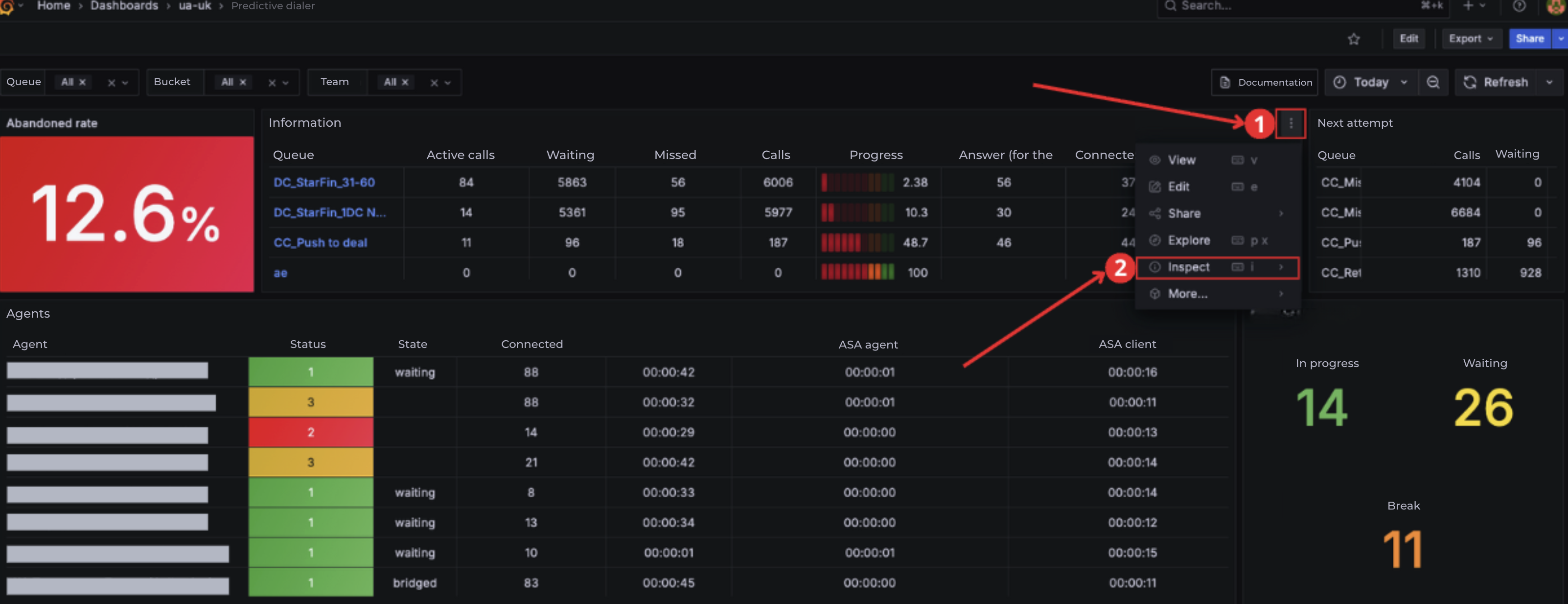
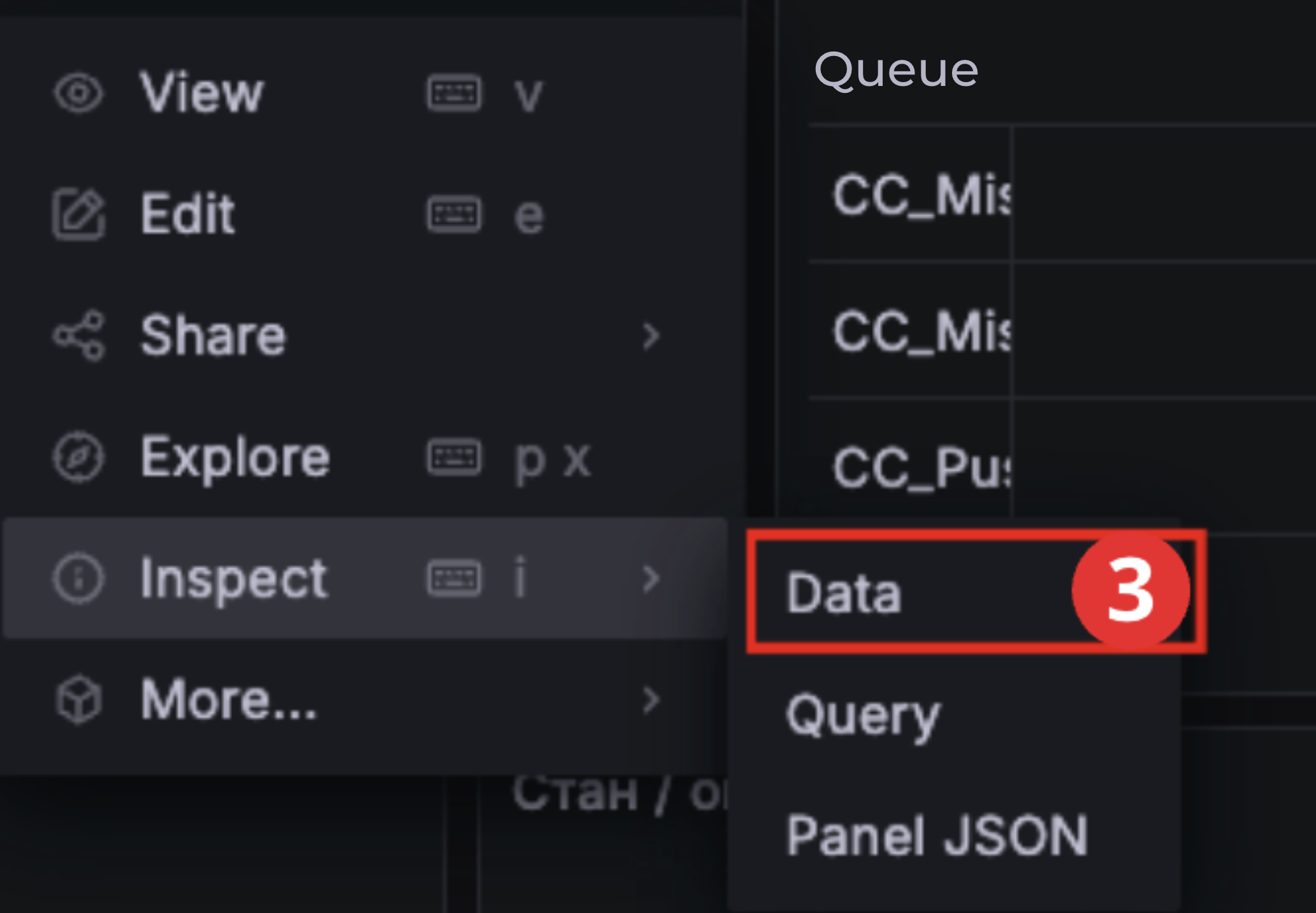
To export reports from the Grafana system to Excel, open the drop-down menu (1), select Inspect (2), and then Data (3).
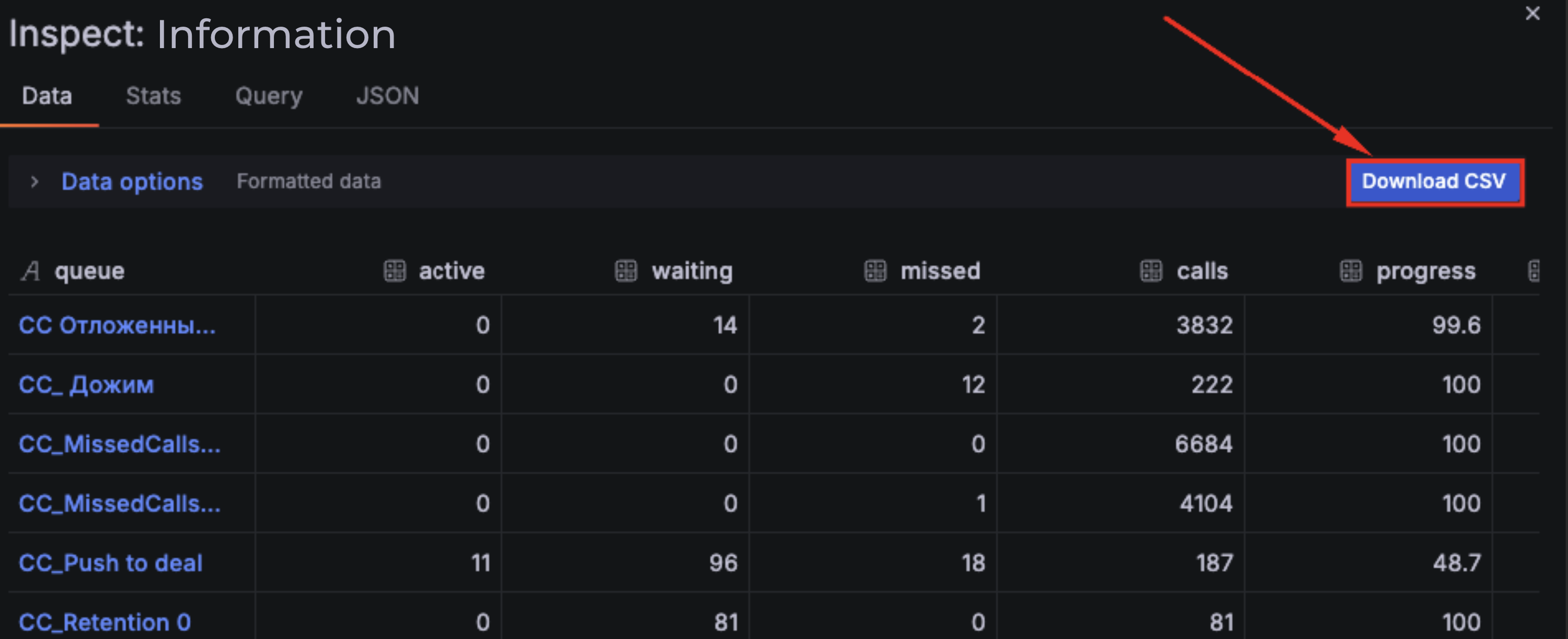
In the new window, click Download CSV.
After the download is complete, open the file.
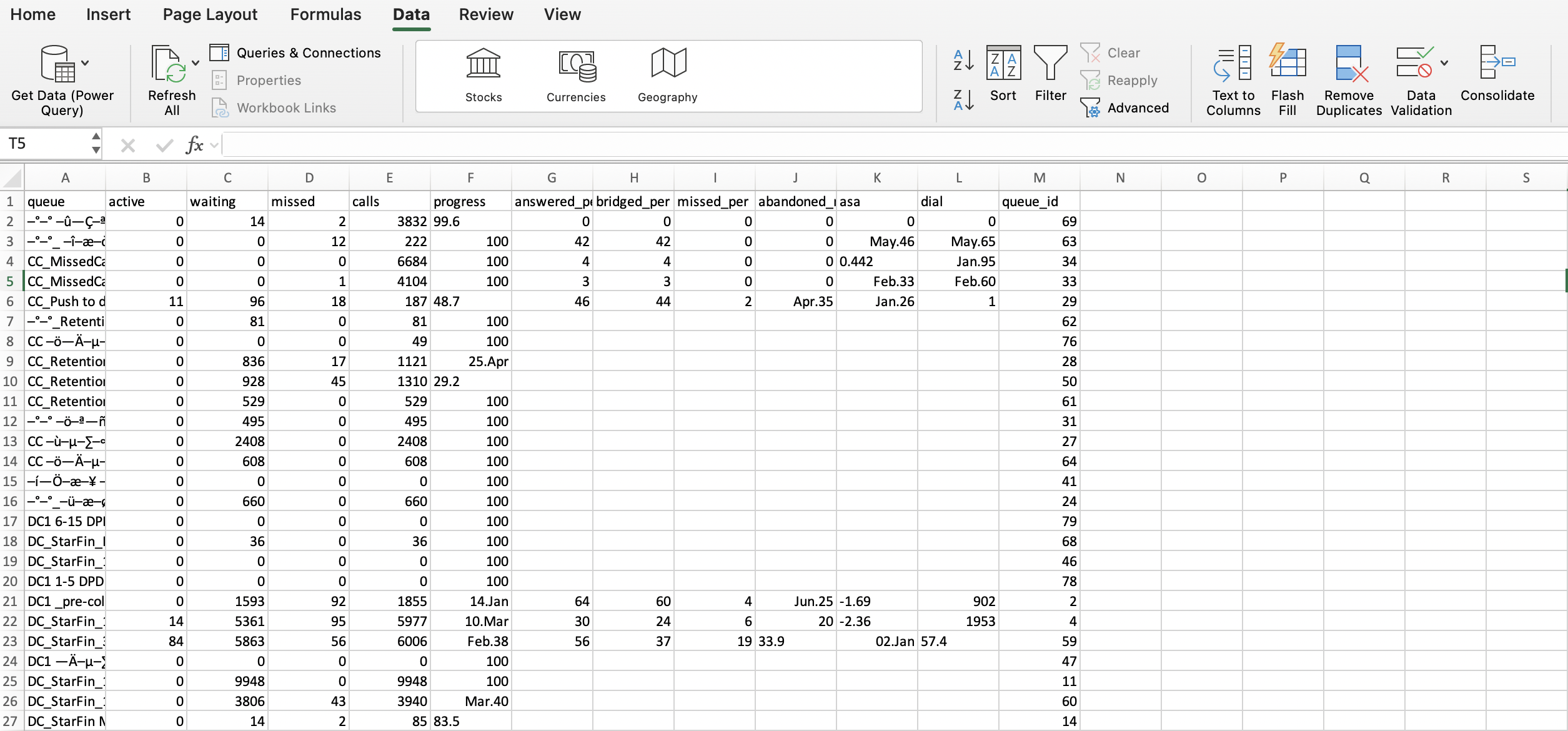
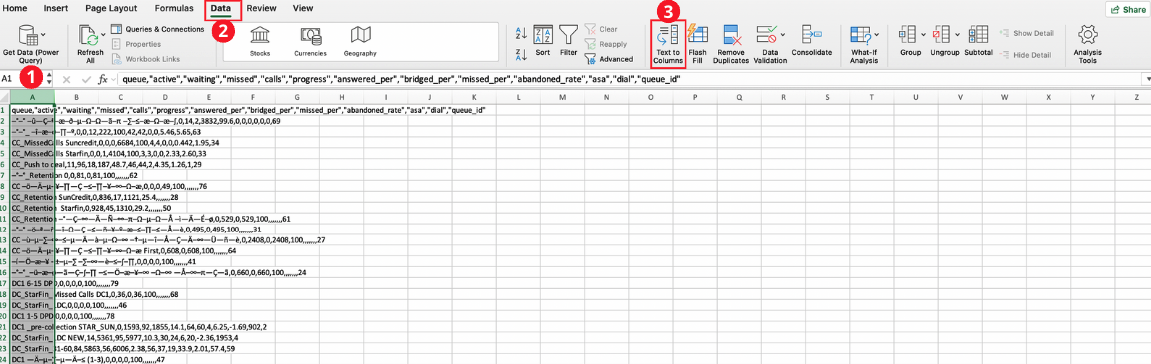
If Excel does not recognize the columns, select column A (1), go to the Data tab (2), and click Text to Columns (3).
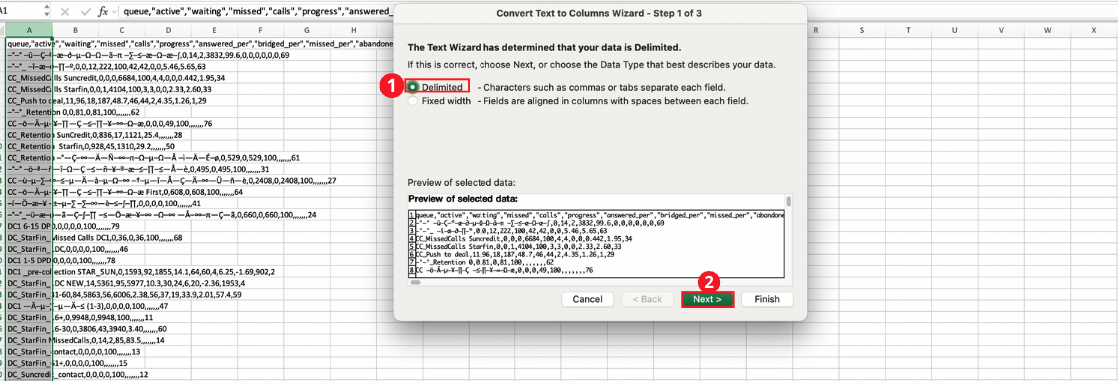
In the window that opens, select Delimited (1) and click Next (2).
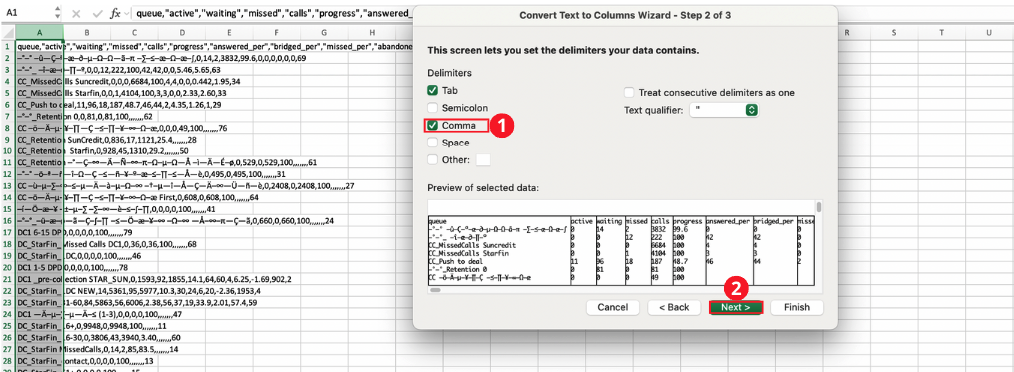
Select Comma as the delimiter (1) and click Next (2).
Click Finish (1).
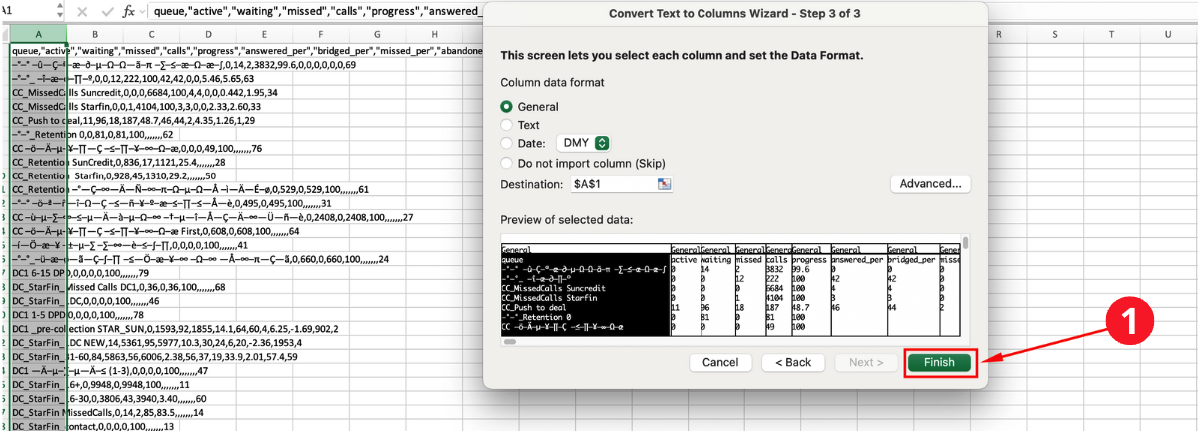
The report data will be arranged into columns.
If needed, the file can also be opened using an alternative method:
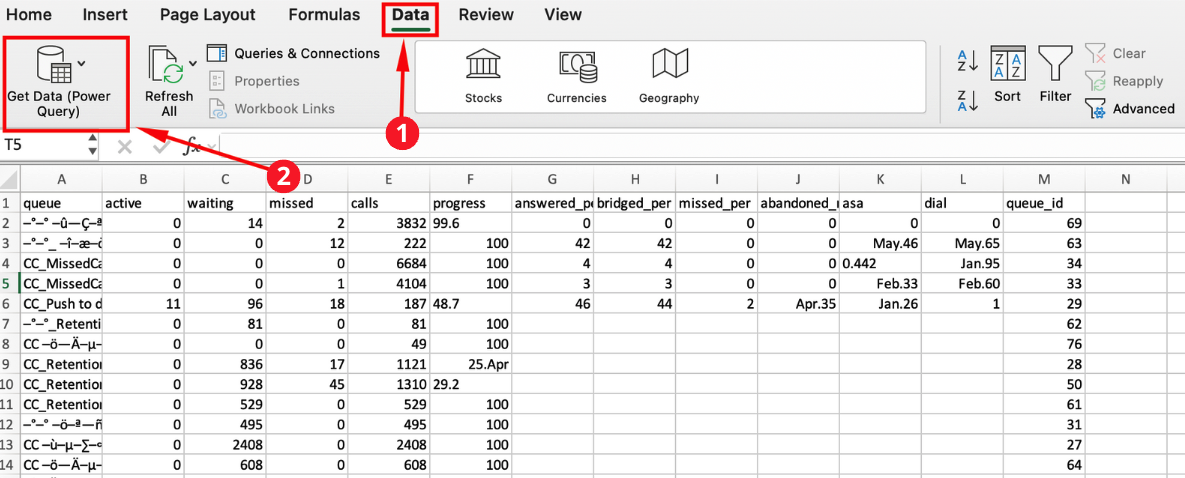
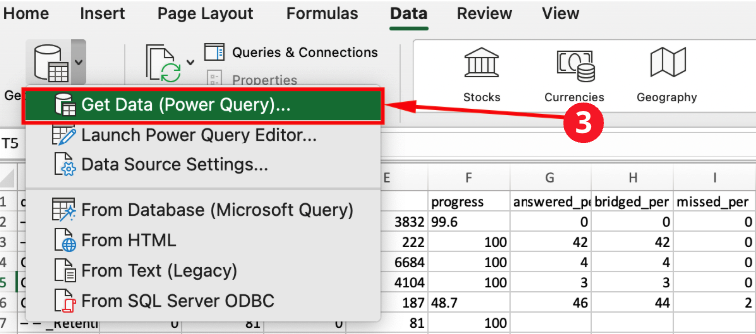
on the Data tab (1), select Get Data (2,3) and choose Text/CSV (4).
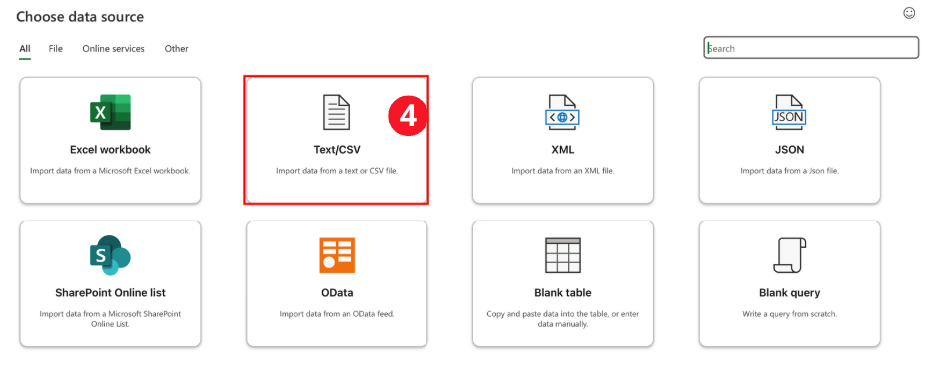
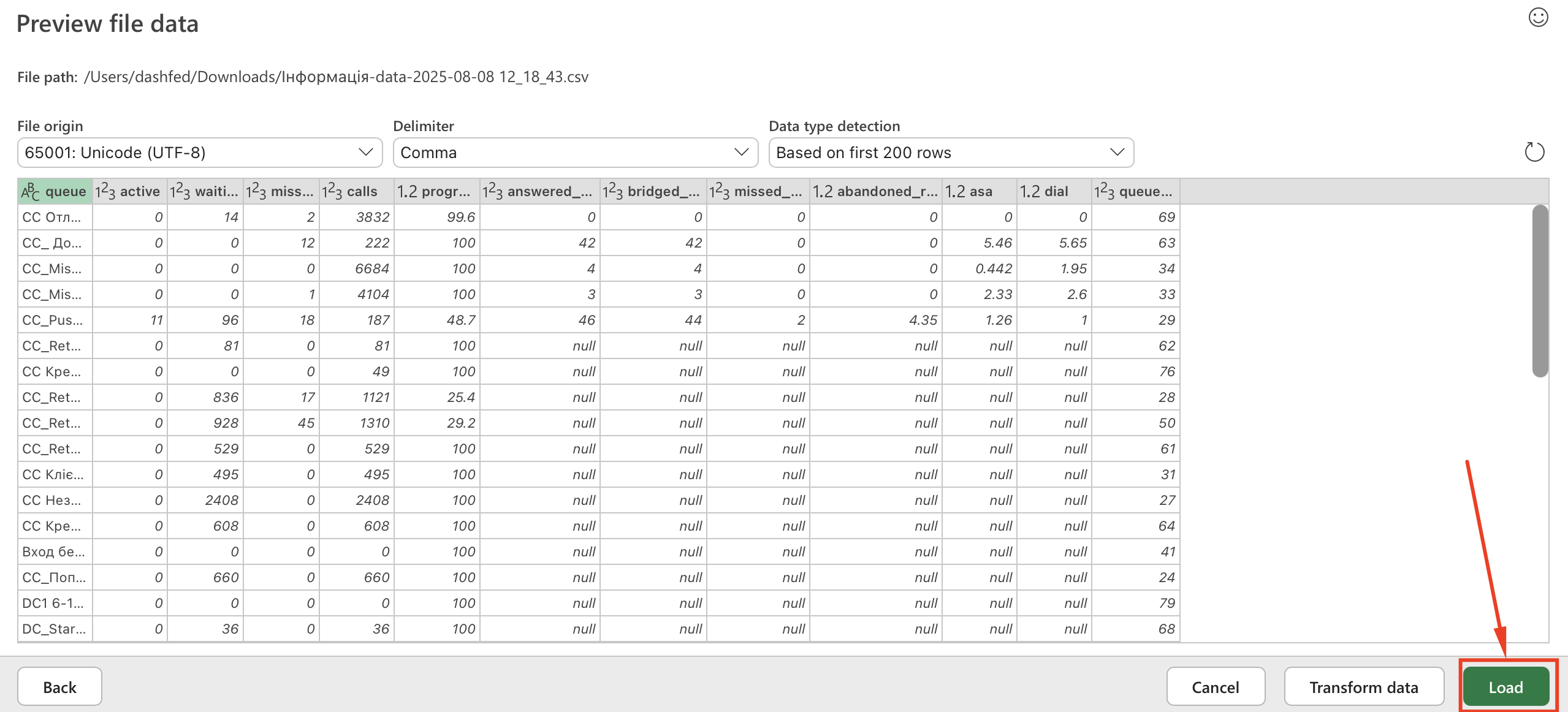
In the window that opens, select the required file. A new window will open where you need to click Load.