An audible signal accompanies an inbound task. It is displayed in the left block in the Tasks section (Fig. 1).
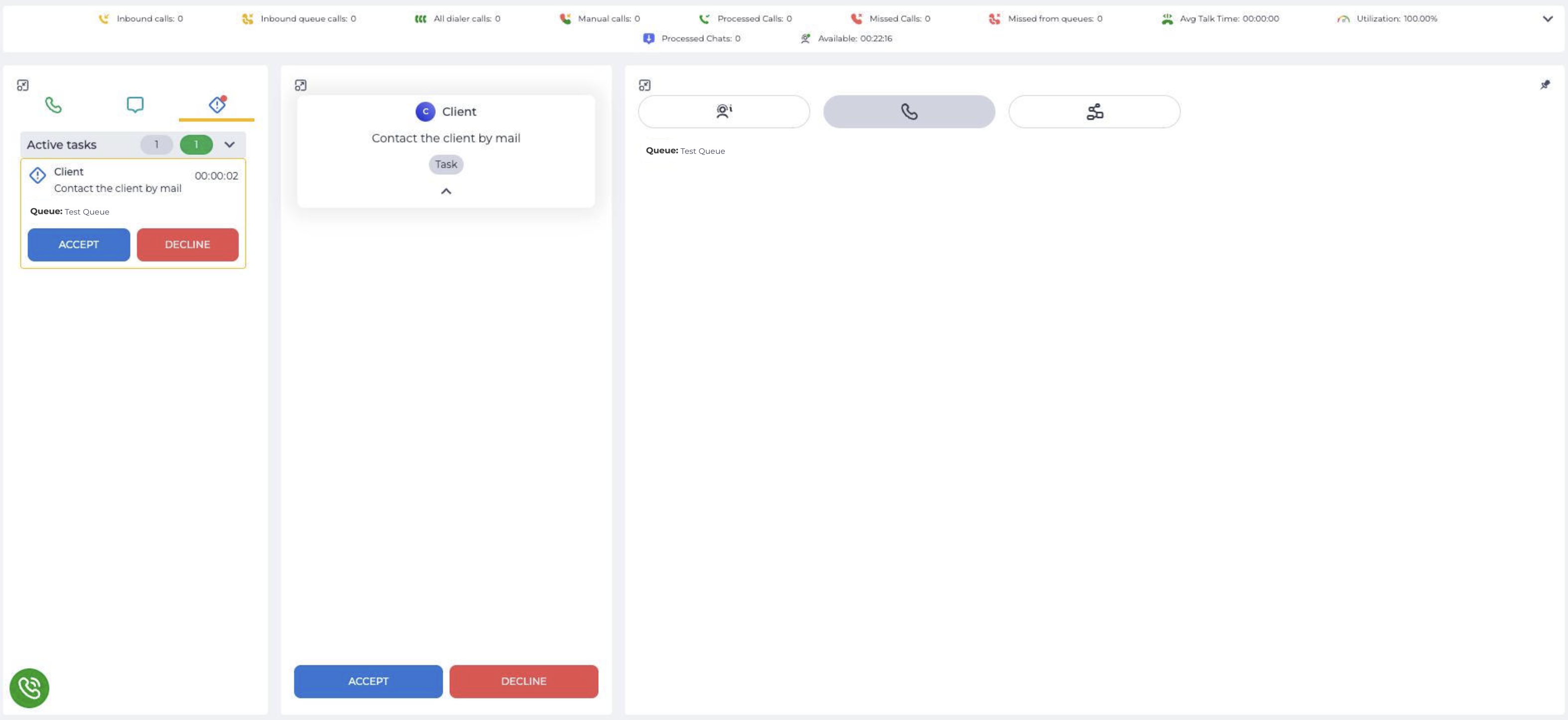
Click the Accept button in the central or left block to accept the task. The Decline button closes the task for the Agent. Such a task will be allocated to another Agent until it is accepted.
Dynamic windows open in the right block (Fig. 2) after acceptance. Dynamic windows are configured depending on the task and have a different look.
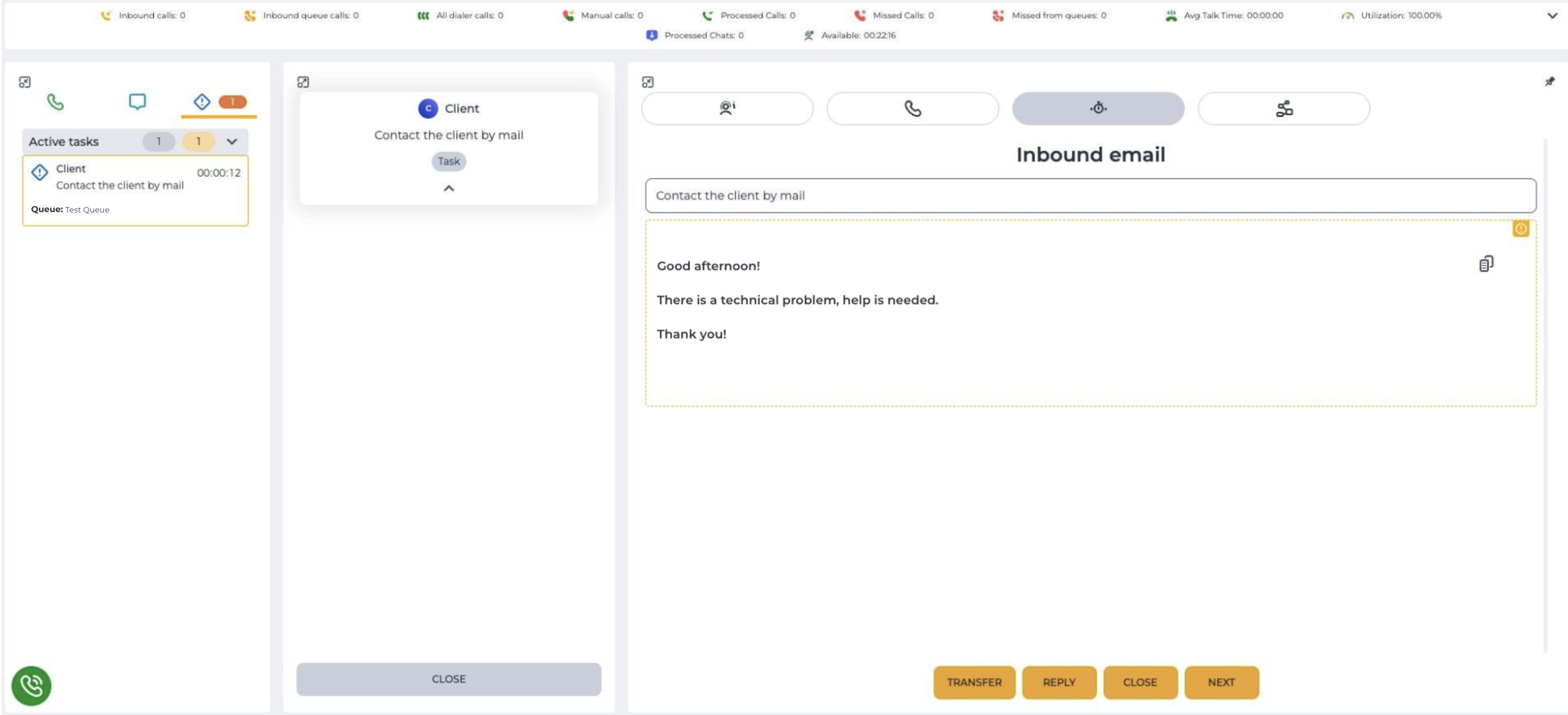
The Close button in the central block closes the task for the Agent.
1.1. Activity Indicators on the Active tasks Tab
Depending on the task status, indicators are displayed next to the tab icon:
-
If a new task is assigned to the operator — a red indicator is displayed next to the tab icon

-
If there are active tasks — a yellow indicator with the number of current active tasks is displayed next to the tab icon

Active Tasks tab displays the following indicators:
-
Gray (
-
Yellow (
-
Green (