
1. Description
To navigate to the "Audit: Form" dashboard, you need to click on the call time in the "Evaluation date" column of the "Audit: Agents" dashboard.
Dashboard of a specific Scorecard for call evaluation.
Consists of:
-
Scorecard title, name of the user who rated the call, and evaluation date;
-
Section "Total call rating for the scorecard";
-
Table "Criteria".
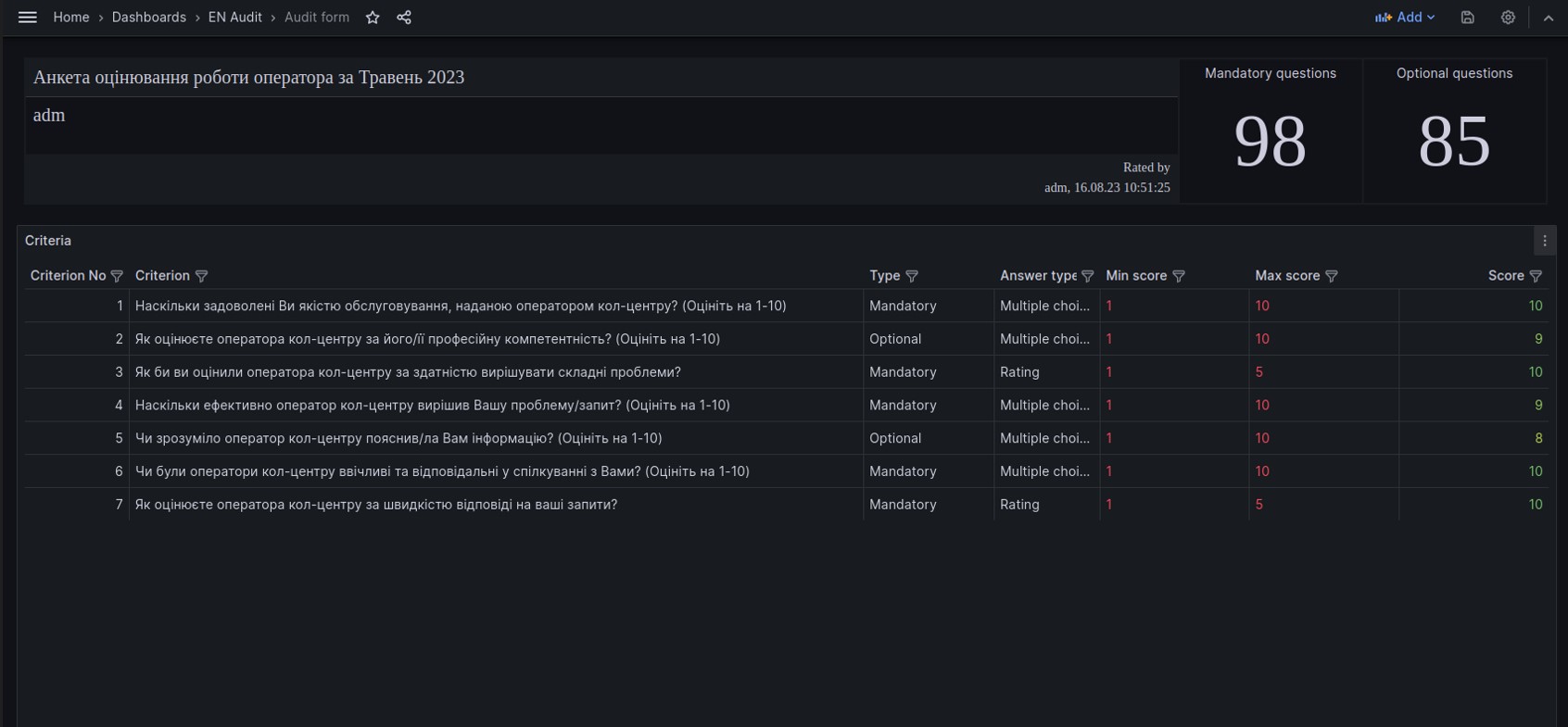
Fig. 1. "Audit: Form" dashboard
1.1. Scorecard title, name of the user who rated the call, and evaluation date

Fig. 2. Scorecard title, the user who rated the call, and evaluation date
Designed to display key information about the selected evaluation: scorecard title, evaluation date and time, and the name of the user who rated the call.
1.2. Section "Total call rating for the scorecard"
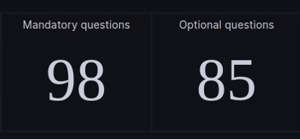
Fig. 3. Section "Total call rating for the scorecard"
It consists of the following metrics:
-
Mandatory questions – Total call rating based on mandatory questions in the scorecard.
It is calculated using the formula: sum of points for mandatory questions * 100% / max score for mandatory questions in the scorecard. -
Optional questions – Total call rating based on optional questions in the scorecard.
It is calculated using the formula: sum of points for optional questions * 100% / max score for optional questions in the scorecard.
1.3. Table "Criteria"
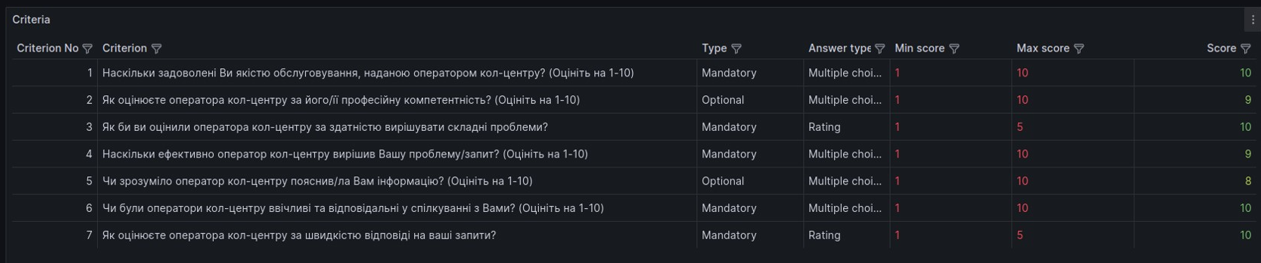
Fig. 4. Table "Criteria"
This table displays detailed information about a specific evaluation.
It consists of the following columns:
-
Criterion No. – the criteria's number in the Scorecard;
-
Criterion – the criterion from the Scorecard;
-
Type – the question type (available types: mandatory, optional);
-
Answer type – the type of answer that can be given by the User conducting the evaluation (available types: multiple choice, rating);
-
Min score – the minimum score that can be given by the User conducting the evaluation for a specific question;
-
Max score – the maximum score that can be given by the User evaluating a specific question;
-
Score – the rating given by the Auditor in the evaluation for a specific Scorecard.