
1. Description
This tab specifies access rights to applications and sections of these applications.
By default, everything is allowed.
The switch in the “Access” column and the settings under the 
Access to applications is determined using the Access switch:
-

-

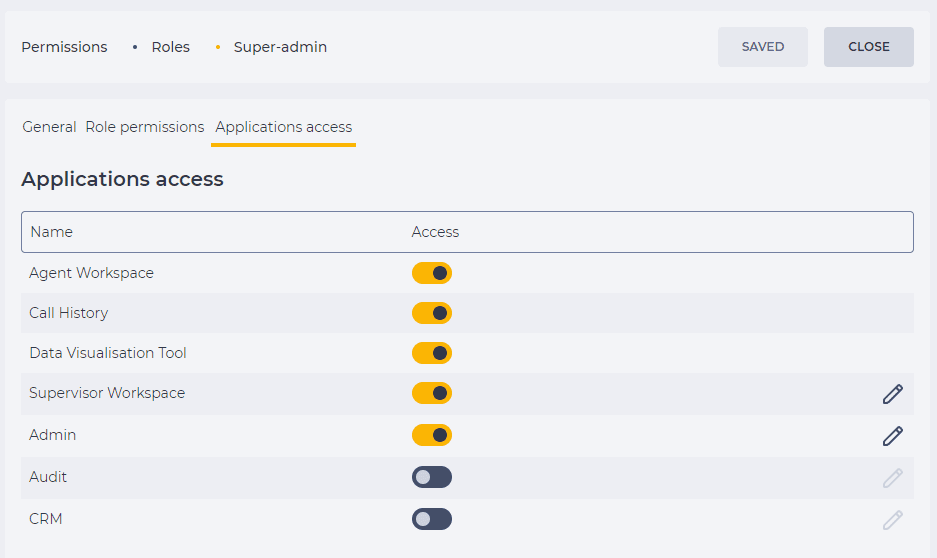
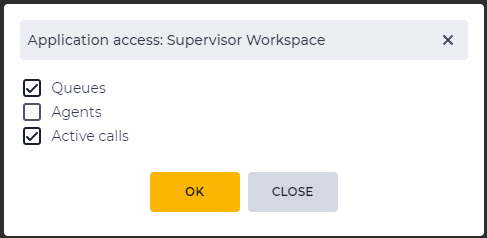
Access to sections is granted by selecting a checkbox in the module window (Fig. 2), which is opened when the edit application button ( 
-
Select the checkbox — access is allowed.
-
Clear the checkbox — access is forbidden.
Click the OK button to save. The modal window will close. Click the Save button (Fig. 1).
1.1. Display when access is denied
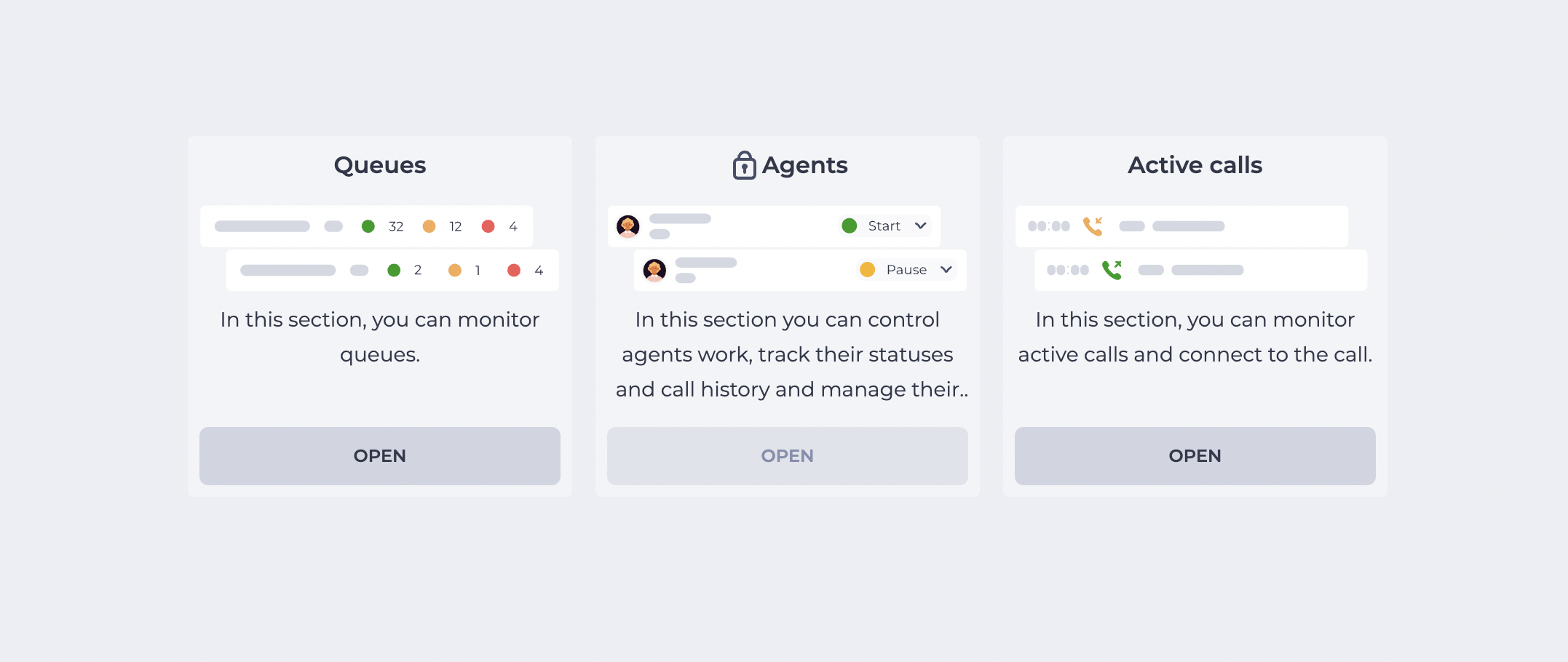
If the “Access” switch is turned off for a specific section, this section is still displayed in the interface, but in a “locked” state (Fig. 3).
-
A lock icon

-
The “Open” button becomes inactive.
1.2. Read-only mode for CRM sections
In the CRM application, access can be defined either at the level of the entire application or for its individual sections.
-
If a User is granted access to the Contacts or Cases section, entity cards open in the regular mode.
-
If access to the section is disabled, entity cards can still be opened via a special system link (for example, from Workspace). In this case, they are displayed in read-only mode. The User can view entity data but cannot edit or delete it.
2. Opportunities
2.1. Grant access to the application
|
Goal |
Grant access to the application to another user |
|---|---|
|
Preconditions |
The user who has to set the application access right for another user must have the following permissions (sysadmin has all rights from the start):
|
|
Steps: |
|
|
Result |
The user has been granted the right to access the application. |
2.2. Grant of access to a section
|
Goal |
Grant of access to a section
|
|---|---|
|
Preconditions |
|
|
Steps: |
|
|
Result |
The user has permission to access the section. |

2.3. Revoke the right to access an application
|
Goal |
Revoke the right to access the application |
|---|---|
|
Preconditions |
|
|
Steps: |
|
|
Result |
The user does not have the right to access the selected application. |
2.4. Revoke the right to access a section
|
Goal |
Revoke the right to access a section
|
|---|---|
|
Preconditions |
|
|
Steps: |
|
|
Result |
The user does not have permission to access the section. |