
1. Description
Here you enter information about a Team.
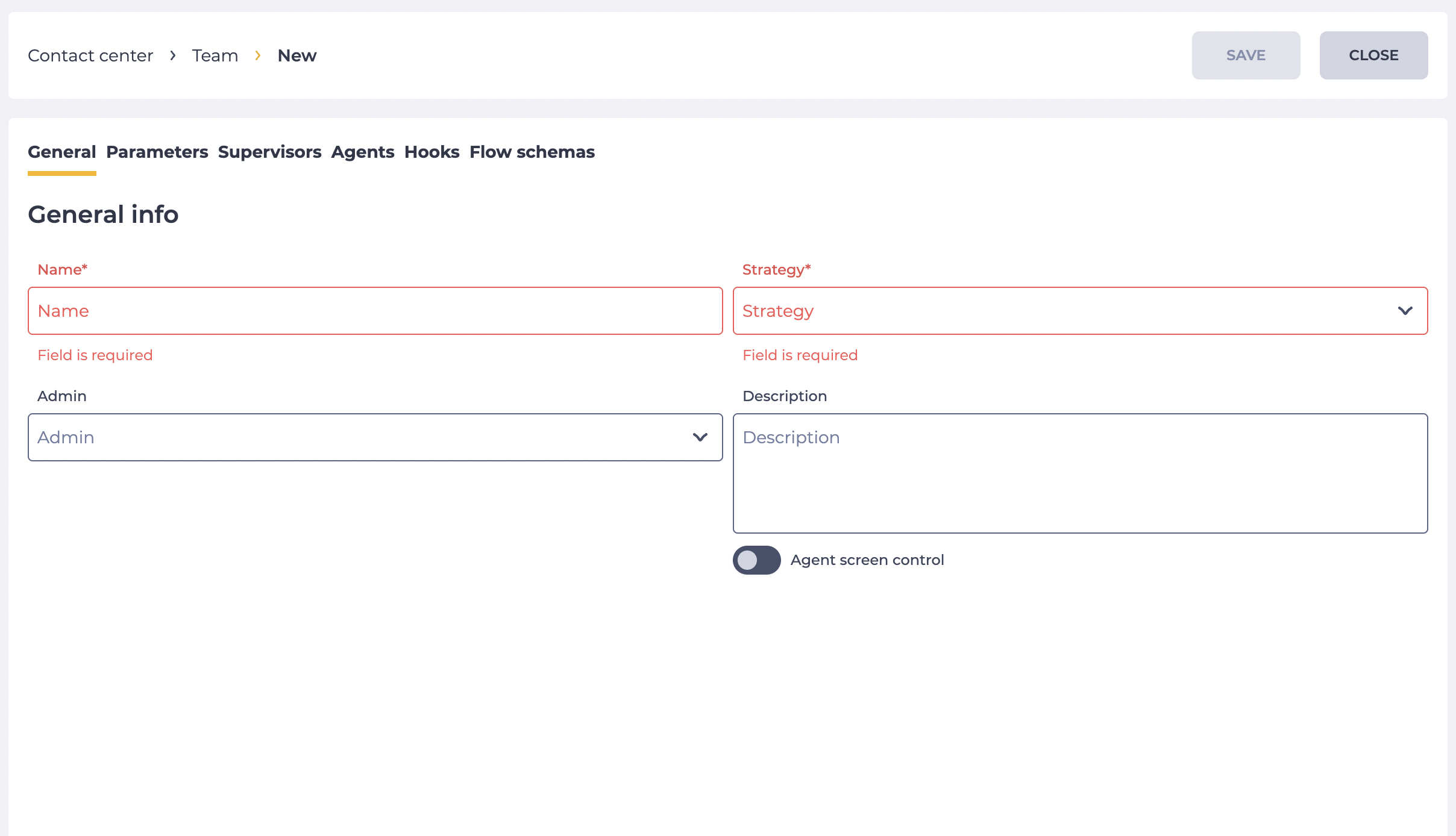
Consists of fields (Fig. 1):
-
Name;
-
Strategy;
-
Admin;
-
Description;
-
Agent screen control switch.
1.1. Name
Required field. Here the name of the Team is entered.
1.2. Strategy
Required field. The field for selecting a strategy for distributing a call to an Agent. It is possible to choose one strategy.
There are such strategies:
-
Random — random choice;
-
Agent with fewest calls — selects the Agent with the fewest calls received;
-
Agent with least talk time — selects the Agent with the most time since the last call;
-
Round robin — selects an Agent according to the list of Agents;
-
Round robin bucket — selects an Agent according to the percentage of Buckets in the Queue;
-
Agent with longest idle time — selects the Agent who has been waiting for the longest;
-
By skill level — selects Agents based on their Skill levels.
1.3. Admin
Admin — a team leader. Any Agent can be an Admin. It is possible to assign multiple Admins.
1.4. Description
Here the description of the Team is entered.
1.5. Agent screen control switch
The switch defines whether the screen control and screenshot creation settings apply to the agents of this team.
When the switch is enabled, the following capabilities become active for the team:
-
Automatic screenshot creation. The system captures screenshots at the interval specified in the “screenshot_interval” variable.
Note! If the “screenshot_interval” value is not set, automatic screenshots are not created, even if the switch is enabled.
-
Forced screen recording during calls. If the “wbt_record_screen” variable is configured in the Flow or Queue, enabling the switch allows recording the screens of all agents in this team during calls.
Note! If the “wbt_record_screen” variable is not configured, the screen will not be recorded.
-
DeskTrack is required to access the Workspace. If this parameter is enabled, an agent can enter the Workspace only when the DeskTrack application is installed, running, and authorized.
Important! A Supervisor can view an agent’s screen regardless of the switch state, as long as the DeskTrack application is running and authorized on the agent’s computer.
2. Opportunities
2.1. Change the Name/Description
|
Goal |
Change the Name/Description |
|---|---|
|
Preconditions |
|
|
Steps
|
|
|
Result |
Data saved. |
2.2. Change the Strategy / Admin
|
Goal |
Change the Strategy / Admin |
|---|---|
|
Preconditions |
|
|
Steps
|
|
|
Result |
Data saved. |