
1. Description
It is designed to configure the parameters of the Queue.
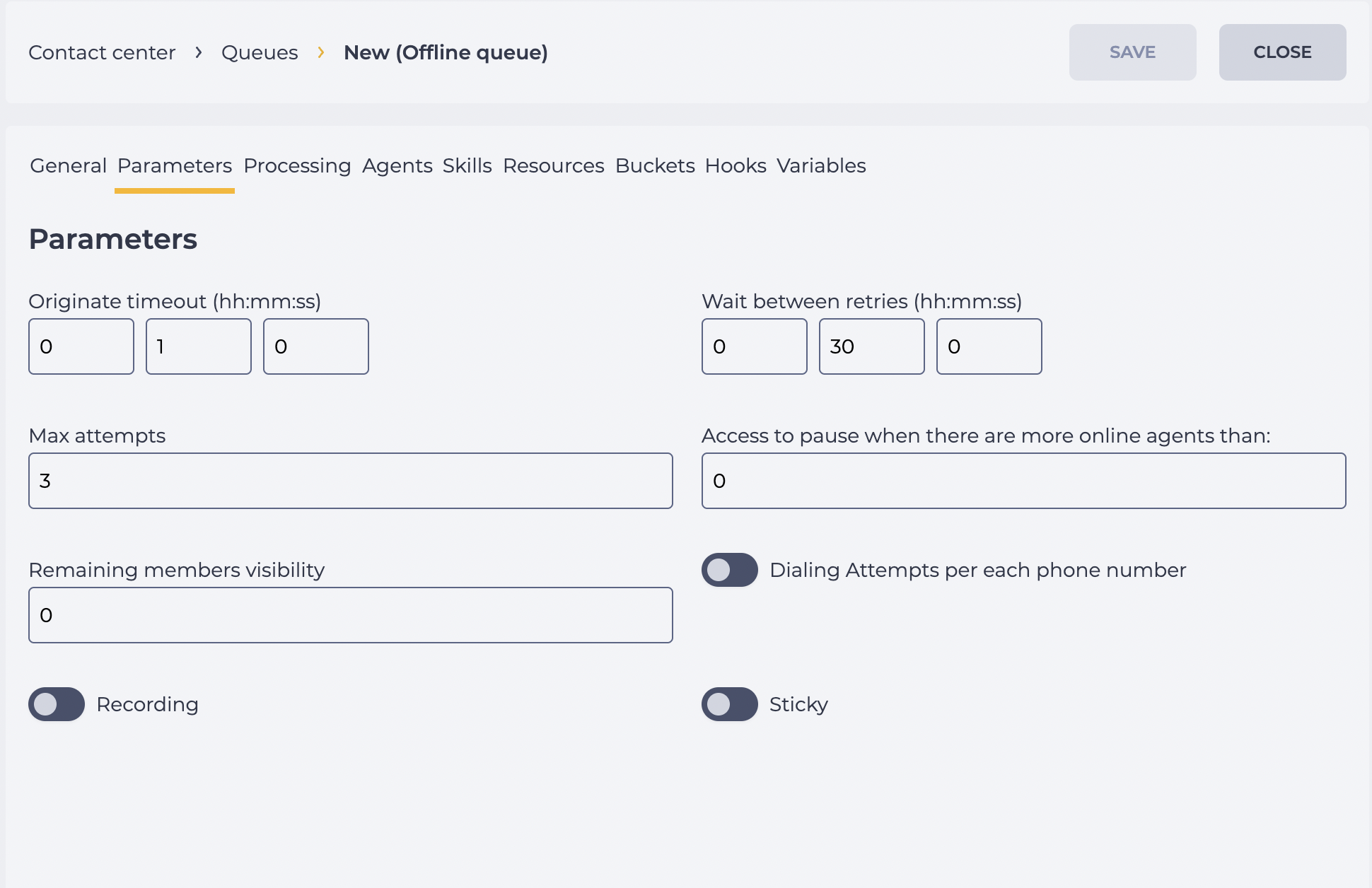
It consists of the following elements (Fig. 1):
-
Originate timeout;
-
Wait between retries;
-
Max attempts;
-
Access to pause when there are more online agents than;
-
Remaining members visibility;
-
Dialing Attempts per each phone number;
-
Recording;
-
Sticky.
1.1. Originate timeout
The duration of dialing the Subscriber, that is, how long we will wait for a response from the Subscriber.
1.2. Wait between retries
The time between attempts is the time after which the next call will be made.
1.3. Max attempts
The number of attempts to call the Subscriber is entered here. If it is not connected to the Subscriber for the specified number of attempts, then dialing such a Subscriber stops.
1.4. Access to pause when there are more online agents than:
What the minimum number of online Agents should be for the Agent to be able to switch to pause mode is entered here.
An Agent cannot go into pause mode if the number of Agents online is equal to or less than the number entered in this field.
1.5. Remaining members visibility
This field sets the maximum number of members that are displayed to agents in Workspace.
It allows hiding the actual number of members in the queue, showing only those that fall within the specified limit.
-
If the field is set to 0, Workspace displays the actual number of all members in the queue (no restrictions).
-
If another value is specified, Workspace will display only the given number of members. The rest remain hidden. For example, if the field value is 50 and there are fewer than 50 members in the queue, the system will show their exact number (e.g., 37). If the queue contains 50 or more members, the system will display a shortened version — 50+, instead of the real number.
1.6. Dialing Attempts per each phone number
Responsible for the ability to make attempts to dial each number entered for a particular Member.
1.7. Recording
Ability to record a conversation.
The Start record after answer switch appears if the switch is on. It is responsible for recording after the Member has answered.
1.8. Sticky
The ability to assign a specific Agent for the Member.
When the “Sticky” switch is off:
• members without a filled Agent field are routed to the queue;
• members with a filled Agent field are also routed to the queue.
When the “Sticky” switch is on:
• members without a filled Agent field are routed to the queue;
• members with a filled Agent field are routed to the specific agent.
An Agent can be chosen when loading a Member into the Queue or when adding a Member — in the General tab in the Agent field.
2. Opportunities
2.1. Change Queue settings
|
Goal |
Change Queue settings |
|---|---|
|
Preconditions |
|
|
Steps
|
|
|
Result |
Data saved. |
