
1. Description
It is designed for general settings for integration with the Meta platform.
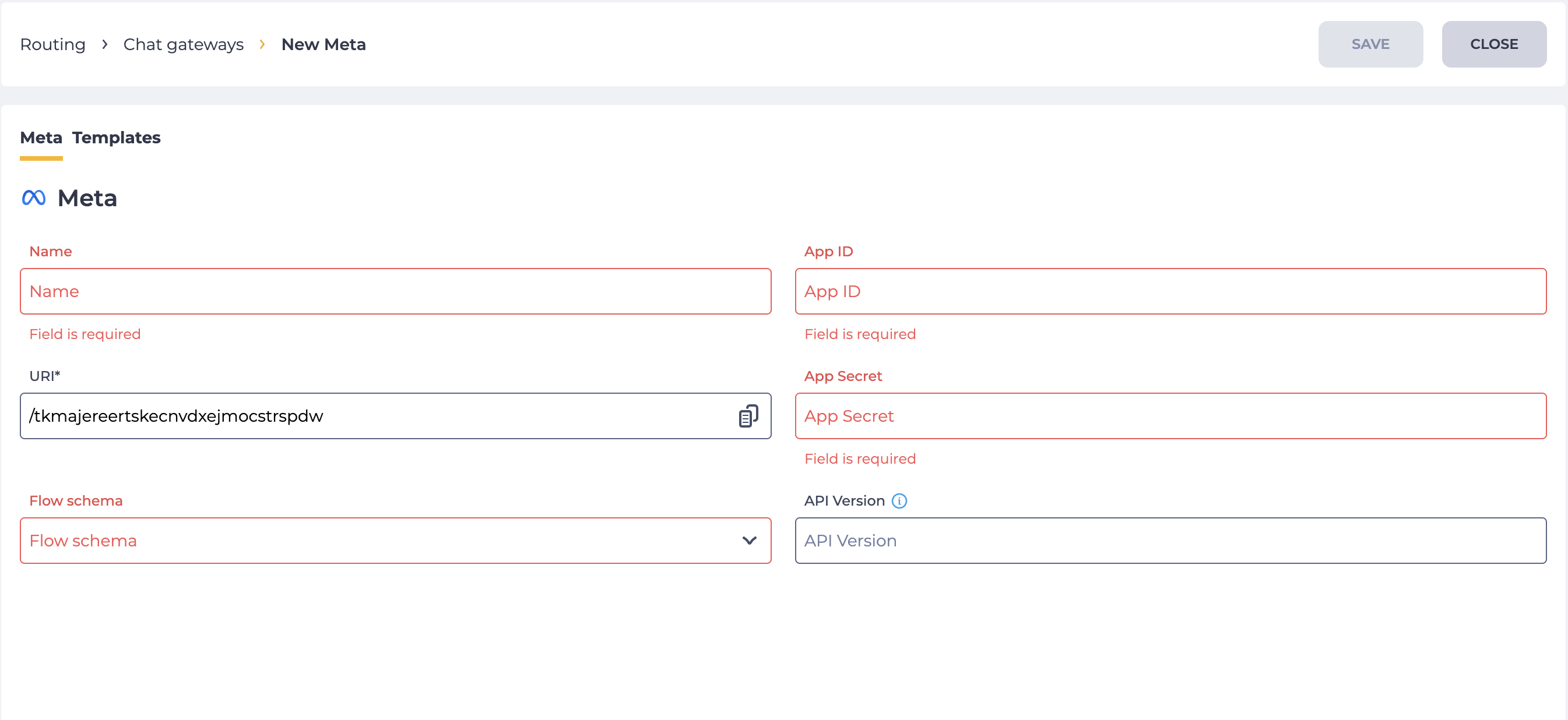
It consists of the following fields (Fig. 1):
-
Name;
-
URI;
-
Flow;
-
App ID;
-
App Secret;
-
API Version.
1.1. Name
Here you enter the name that will be displayed in the registry of the Chat Gateways page.
1.2. URI
The unique URI of the account. Generated automatically and used to set up Facebook login.
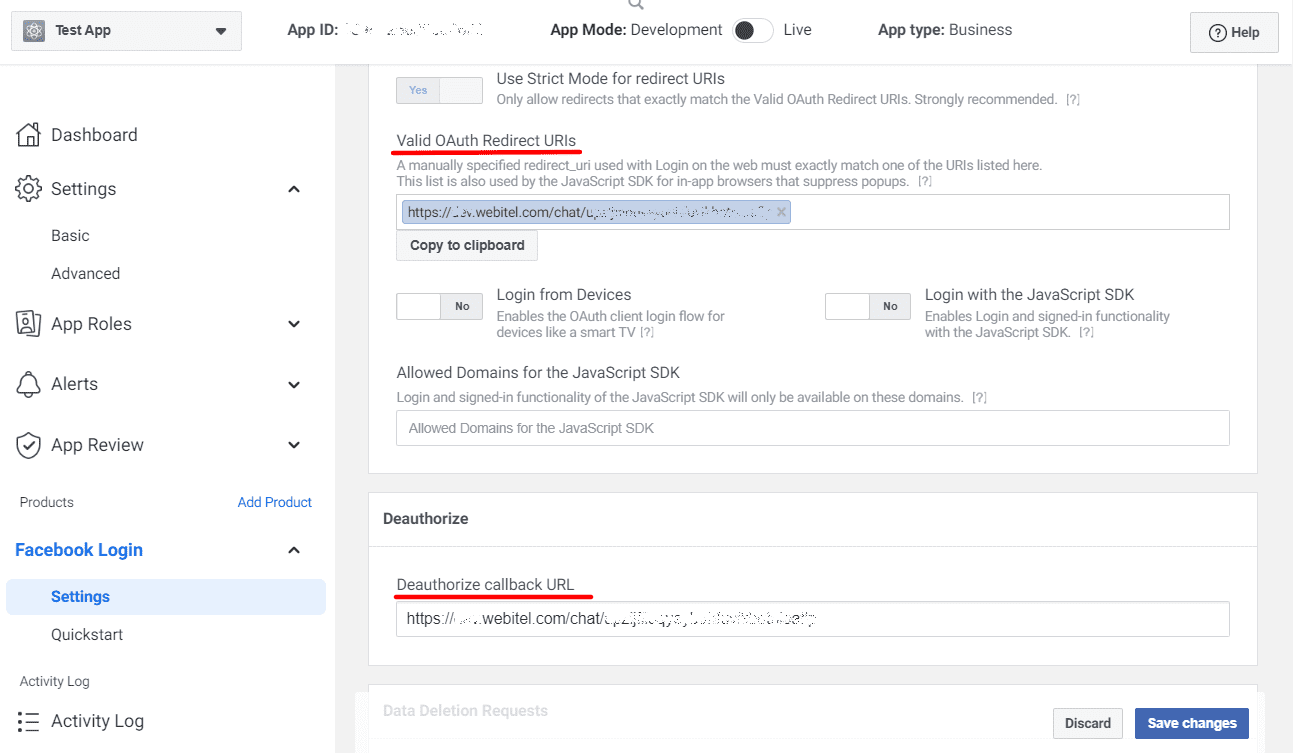
Copy the value from the URI field. Go to Facebook Developer (developers.facebook.com/ ). Select Facebook Login by clicking the Settings button. Paste the copied value into the Valid OAuth Redirect URIs and Deauthorize callback URL fields (Fig. 2). Click the Save Changes button.
1.3. Flow
Here you choose which Flow will be processed when the Chat Gateway is used.
When you click on the Flow field, a drop-down list opens from which the flow is selected. If the required flow is not in the drop-down list, use the Flow field as a search field.
How to create a new flow can be found here.
1.4. App ID
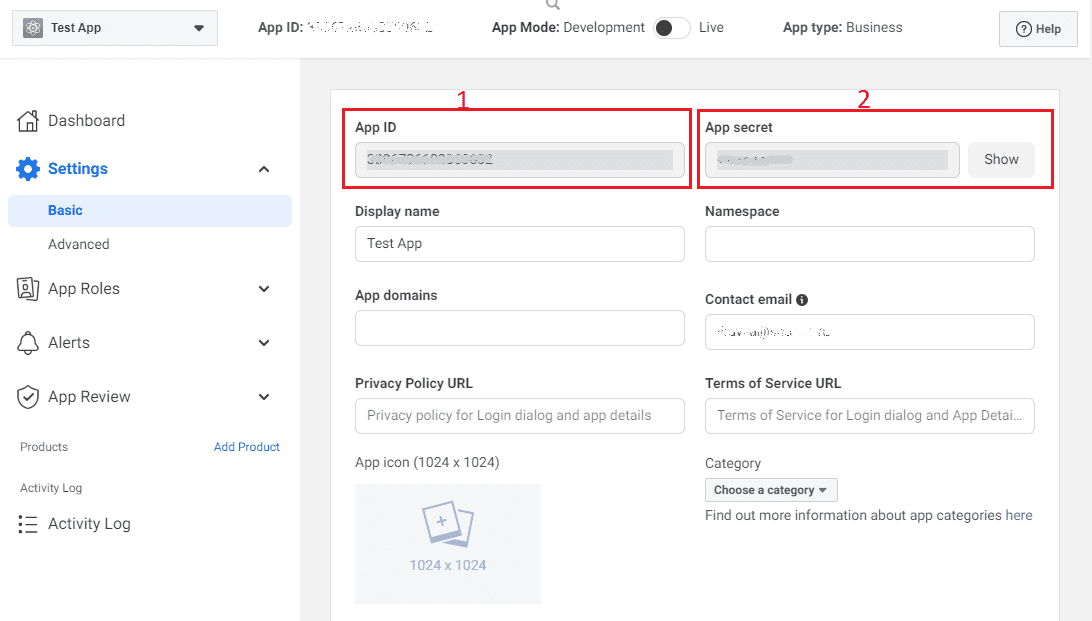
The data for this field is taken from the Facebook Developer in the application settings (Fig. 3.(1)).
The "App ID" and "App Secret" values are taken from the main application settings on Facebook Developer.
1.5. App Secret
The data for this field is taken from the Facebook side in the application settings (Fig. 3.(2)).
Access to the Facebook pages and Instagram tabs opens after filling in the fields and clicking on the Save button.
1.6. API Version
Optional field. Used to enter the version of Graph API applied by the Meta text gateway.
The value is entered manually in the format vXX.X (for example, v24.0). A tooltip with the required format appears when hovering over the info icon 
During saving, only values that match the available Graph API versions are accepted.
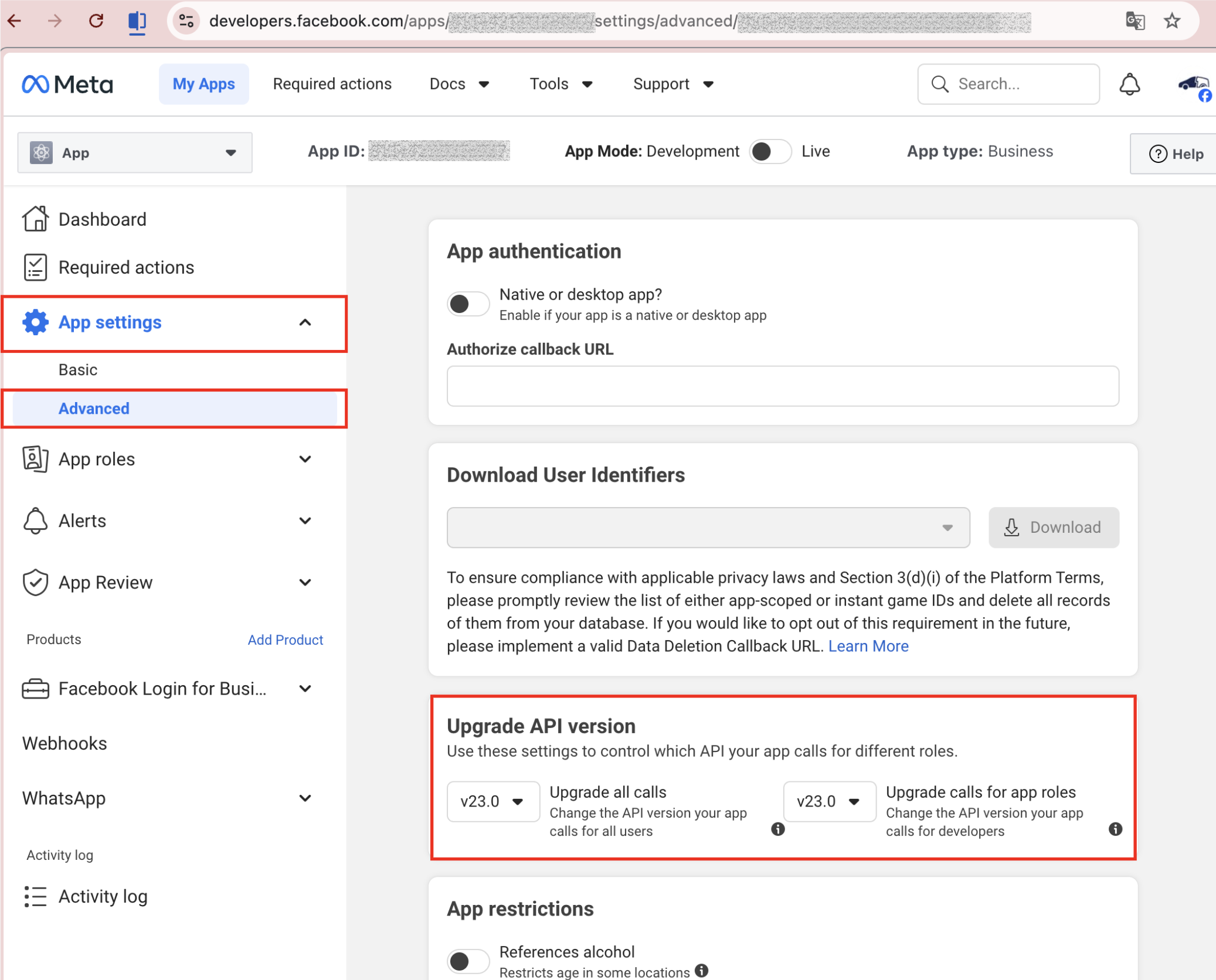
The current Graph API version can be viewed on the Meta side in: My Apps → your app → App settings → Advanced → Upgrade API version (Fig. 4).
2. Opportunities
2.1. Change settings
|
Goal |
Change a Name/URI/App ID/App Secret |
|---|---|
|
Preconditions |
|
|
Steps
|
|
|
Result |
Data saved. |

2.2. Change a Flow
|
Goal |
Change a Flow |
|---|---|
|
Preconditions |
|
|
Steps
|
|
|
Result |
Data saved |
3. Additional materials
3.1. Instructions
3.1.1. Create a chat in Messenger