
Description
This section describes the algorithm for installing the Telemarketing package in the Creatio system.
Installing the Telemarketing package in Creatio
Telemarketing - a product for creating, filling out and launching an outbound call from the Creatio interface
Important!
The availability of CallManager and CallCenter packages is mandatory.
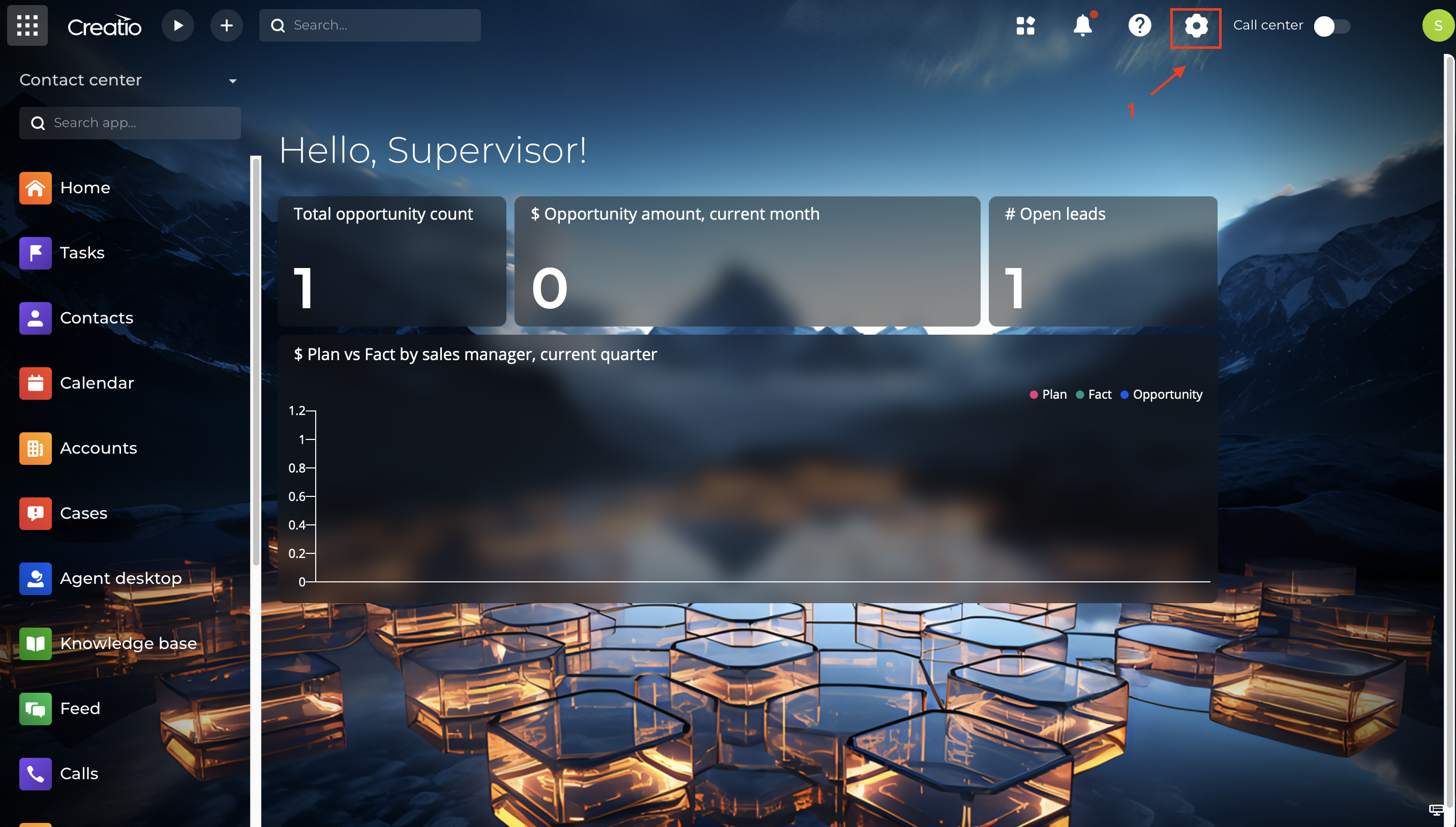
To install the product (Fig. 1), you need to click on the "System Settings" icon (1).
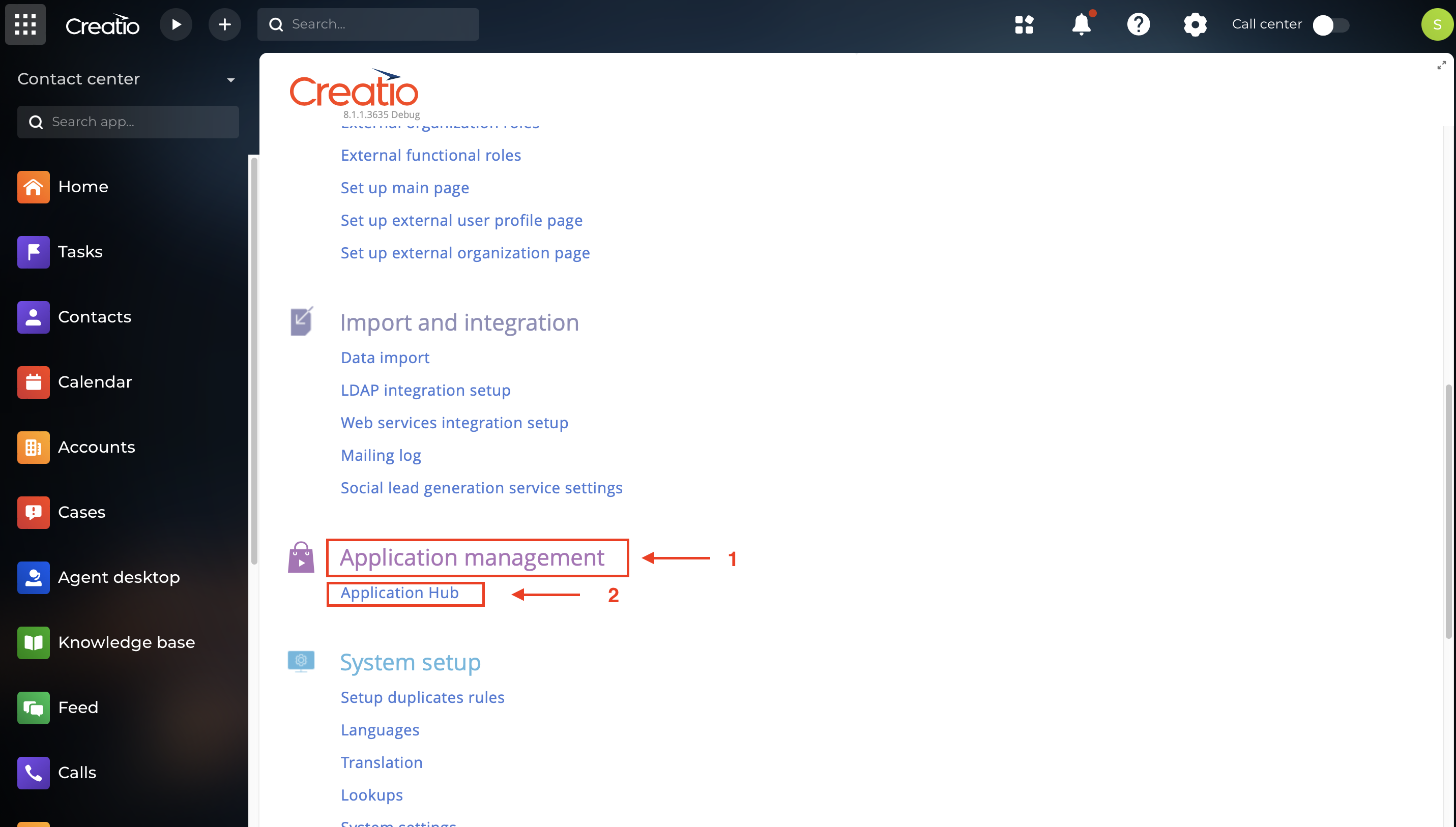
After that, in the "Application Management" section (1) (Fig. 2), you need to open the "Application Hub" (2).
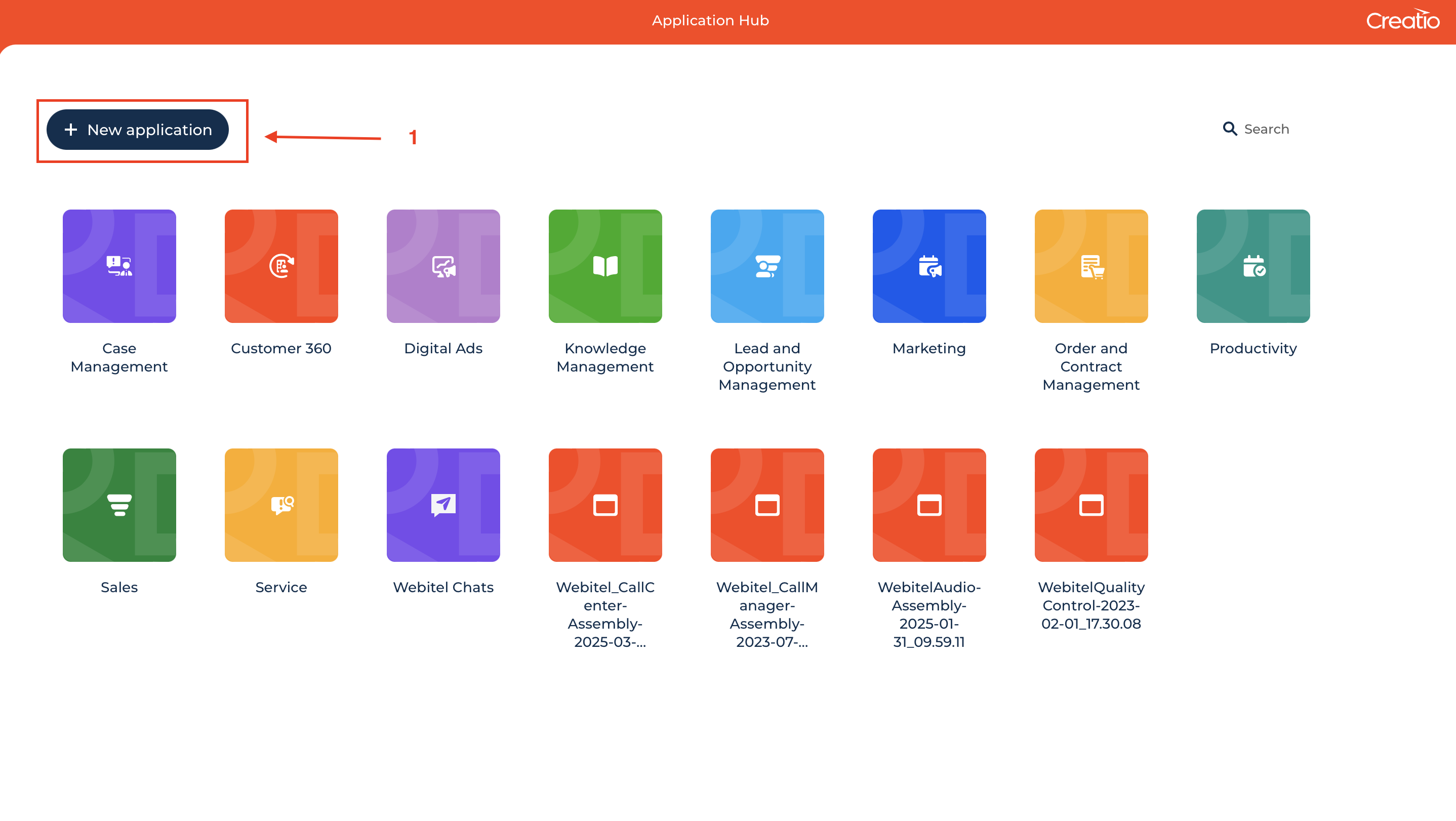
Then click on the "New application" button (1) (Fig. 3).
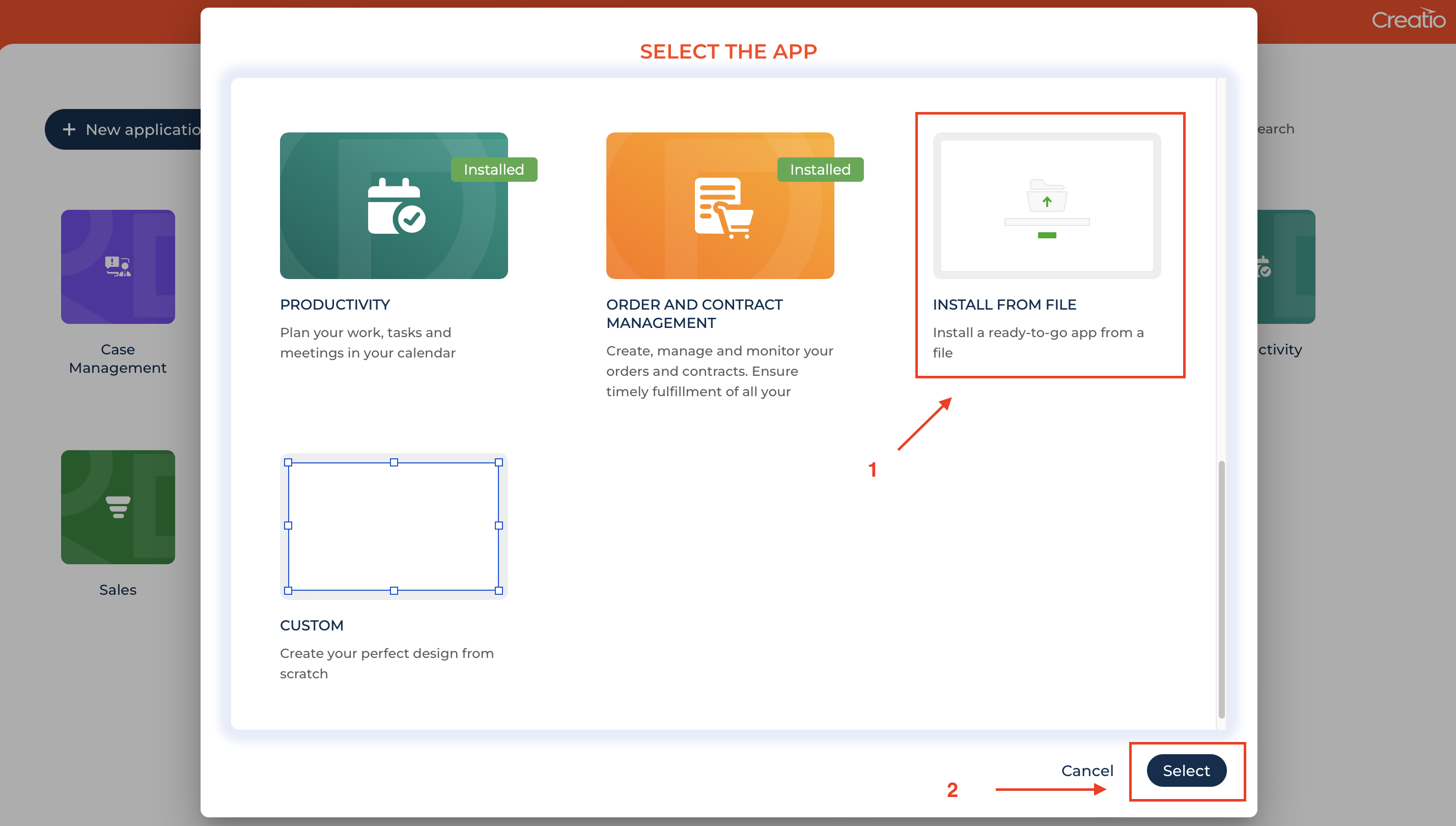
In the window that opens (Fig. 4), select "Install from file" (1) and click "Select" (2).
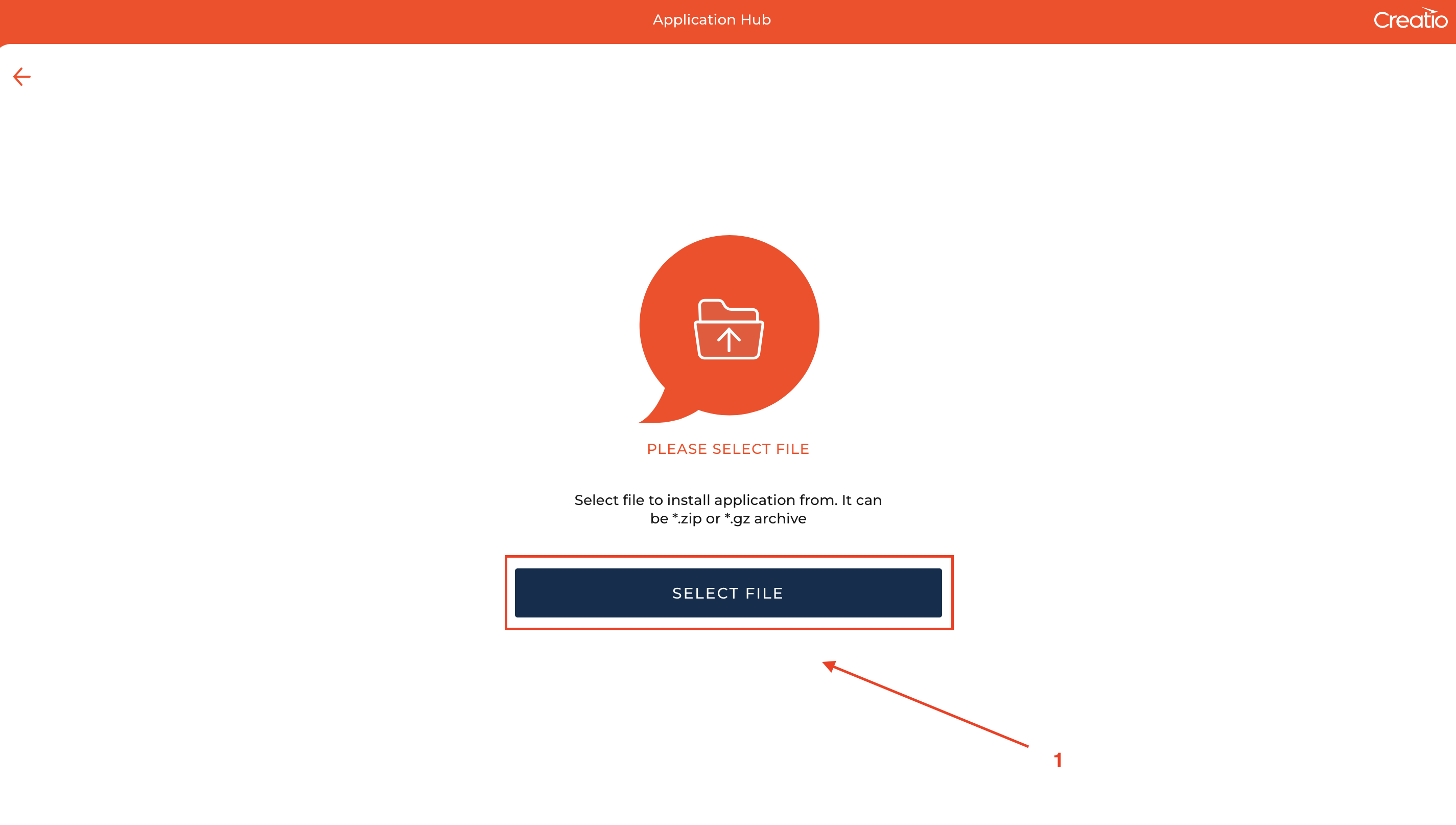
After that, click on the "Select file" button (1) (Fig. 5).
Next, in the file system window, you need to select the path to the "Webitel_Telemarketing" file and click "Open".
The installation has started.