
1. Description
It is designed to create attribute for the Contact (Fig. 1).
.png?cb=c01f7aa70a93b0d467ea345810904f23)
Click the 
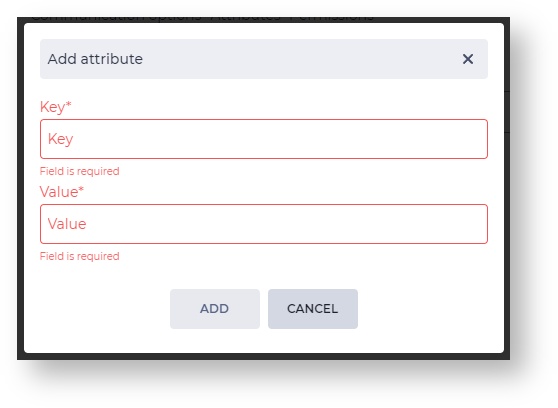
1.1. Add attribute modal window
The Add attribute modal window consists of the following elements:
-
Key;
-
Value;
-
Add button;
-
Cancel button.
1.1.1. Key
The field is intended for entering a key.
1.1.2. Value
The field is intended for entering a value.
1.1.3. Add
Clicking on the Add button adds the entered attribute.
1.1.4. Cancel
Clicking on the Cancel button closes the modal window, and the attribute is not added.
1.2. Registry
The registry consists of a set of fields (Fig. 3):
-
Key;
-
Value;
-
Editing tool;
-
Removal tool.
.png?cb=c5b7e87a56c7e044aed58e21776a1d82)
1.2.1. Key
The attribute's key is displayed in this field.
1.2.2. Value
The attribute's value is displayed in this field.
1.2.3. Editing tool
Use the 
1.2.4. Removal tool
It is used to remove an object with confirmation through a modal window. A modal confirmation window appears after clicking the 