
1. Description
This tab contains general information about the case.
When a case is created manually, the “Information” tab consists of the following fields (Fig. 1):
-
Subject — a field for entering the case subject;
-
Description — a field for entering the case description;
-
Source — a field for selecting the case source;
-
Contact info — contact information used to communicate regarding this case (email, phone, Telegram ID, Facebook ID). It is entered manually by the user, as it may differ from the source.
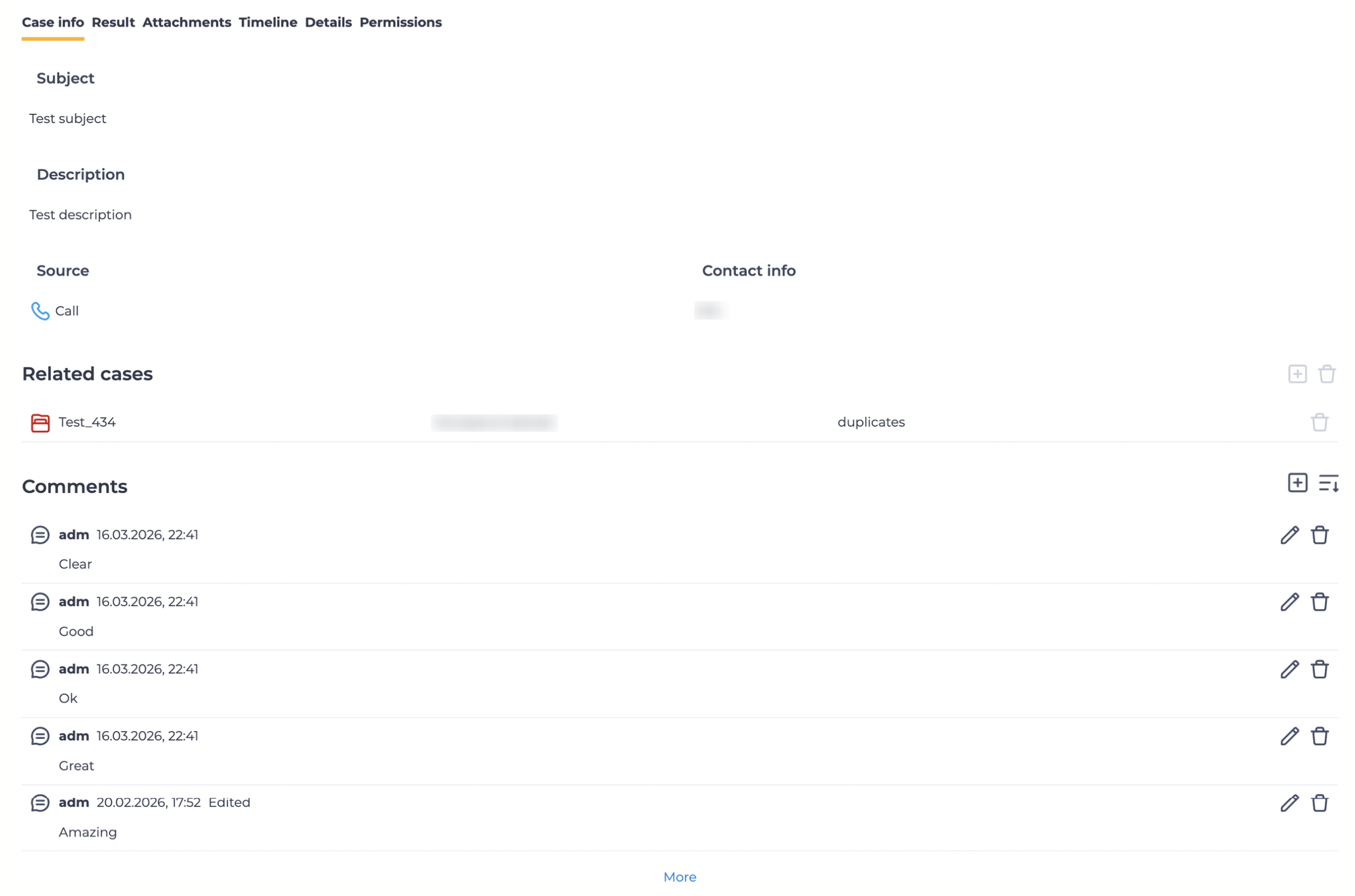
For a created case, the “Information” tab consists of the following elements (Fig. 2):
-
Subject;
-
Description;
-
Source;
-
Contact info;
-
Related cases;
-
Comments.
1.1. Subject
The case subject is displayed here.
1.2. Description
The case description is displayed here.
1.3. Source
The case source is displayed here. The icon indicates the type of source.
Possible icon values:
-

-

-

-

-

-

1.4. Contact info
Contact information for communication regarding this case is displayed here (email, phone, Telegram ID, Facebook ID).
It is entered manually by the user, as it may differ from the source.
1.5. Related cases
Cases related to the current case are displayed here.
Clicking the icon 


The icon 
If there are multiple related cases, the “More” button is used to view additional cases.
1.6. Comments
Comments for the current case are displayed here.
-
-


-
-

If there are multiple comments, the “More” button is used to view additional comments.