
1. Description
General information is specified here.
It consists of the following elements (Fig. 1):
-
Name field;
-
Status field;
-
Prefix field;
-
Closure reasons field;
-
SLA field;
-
Teams field;
-
Code field;
-
Skills field;
-
Description field;
-
State switch.
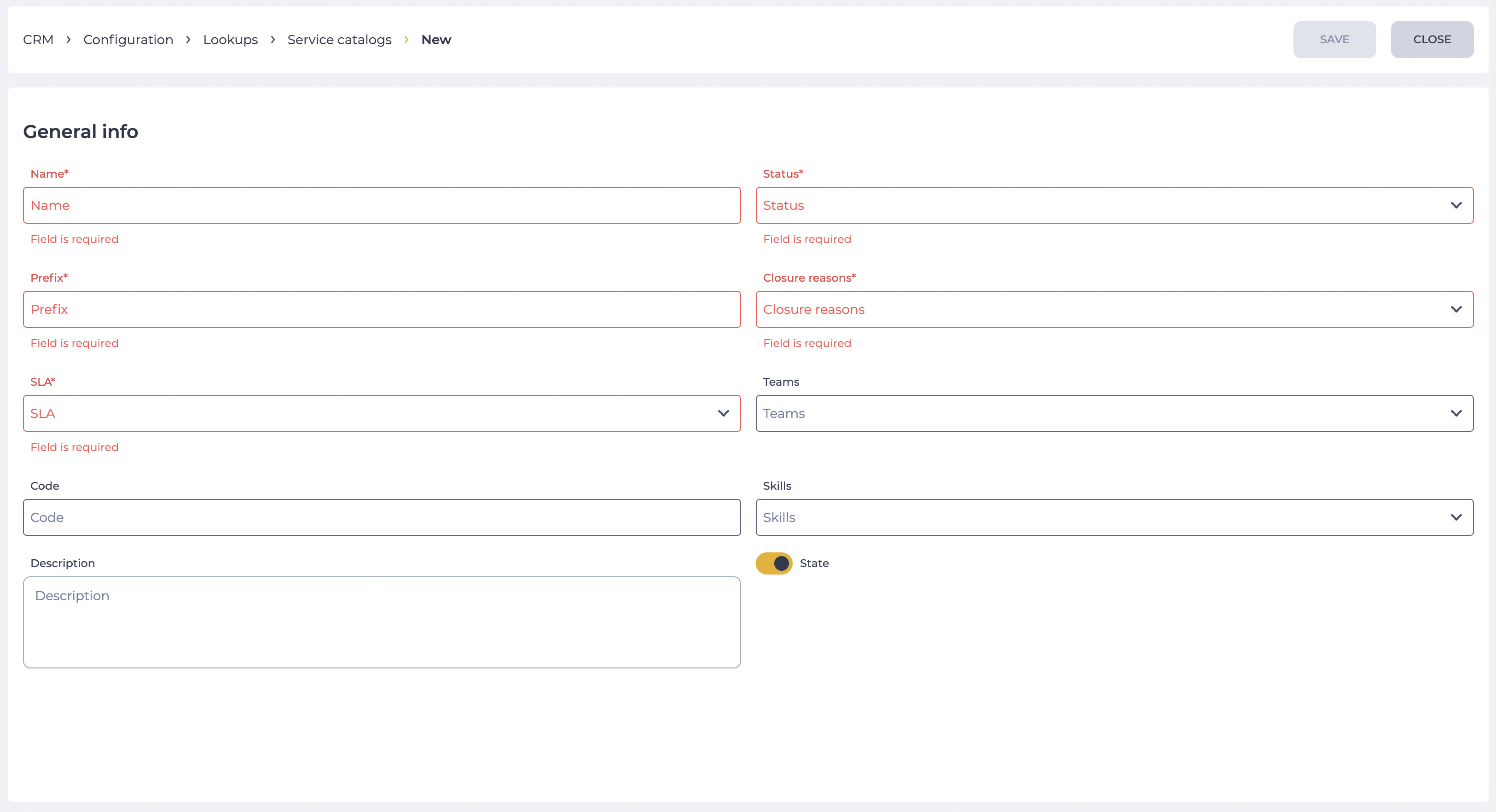
1.1. Name field
A field used to enter the service catalog name. Required field.
1.2. Status field
Here you select the lookup created on the Statuses page. Required field. Cases created using this catalog can have one of the statuses from this linked lookup.
1.3. Prefix field
Depending on the prefix, the case identifier created using this catalog will be generated in the following format: {prefix}_{increment}.
1.4. Closure reasons field
Here you select the lookup created on the Closure reasons page. Required field. Cases created using this catalog will be closed by selecting a reason from this linked lookup.
1.5. SLA field
Here you select the lookup created on the SLA page. Required field. Depending on the case catalog (if the case is not classified at a lower level) and the SLA selected here, the case resolution and response time will be calculated.
1.6. Teams field
Here you select the lookup created on the Teams page. Optional field. Multiple teams can be selected.
1.7. Code field
Identifier of a specific lookup value. It can be used during integrations or configurations. Thus, changing the name will not require changes in the existing configurations.
-
If teams are linked to the catalog, operators of these teams will have access to the services of this catalog while processing cases.
-
If skills are linked to the catalog, the selection of services will be available to operators with these skills.
-
If both teams and skills are linked to the catalog, the selection of services will be available to all operators who belong to the teams or have the specified skill.
1.8. Skills field
Here you select the lookup created on the Agent skills page. Optional field. Multiple skills can be selected.
1.9. Description field
A field used to enter a description of the service catalog.
The field value is used to display service information in the case card and in post-processing forms. When selecting a service, the user can view this description without navigating to the service settings.
1.10. State switch
The switch defines whether the service catalog is active or inactive.
2. Opportunities
2.1. Change or set parameters
|
Goal |
Change or set parameters |
|---|---|
|
Preconditions |
|
|
Scenario:
|
|
|
Result |
The data is saved. |