
A new profile type — Custom — has been implemented on the Webitel side.
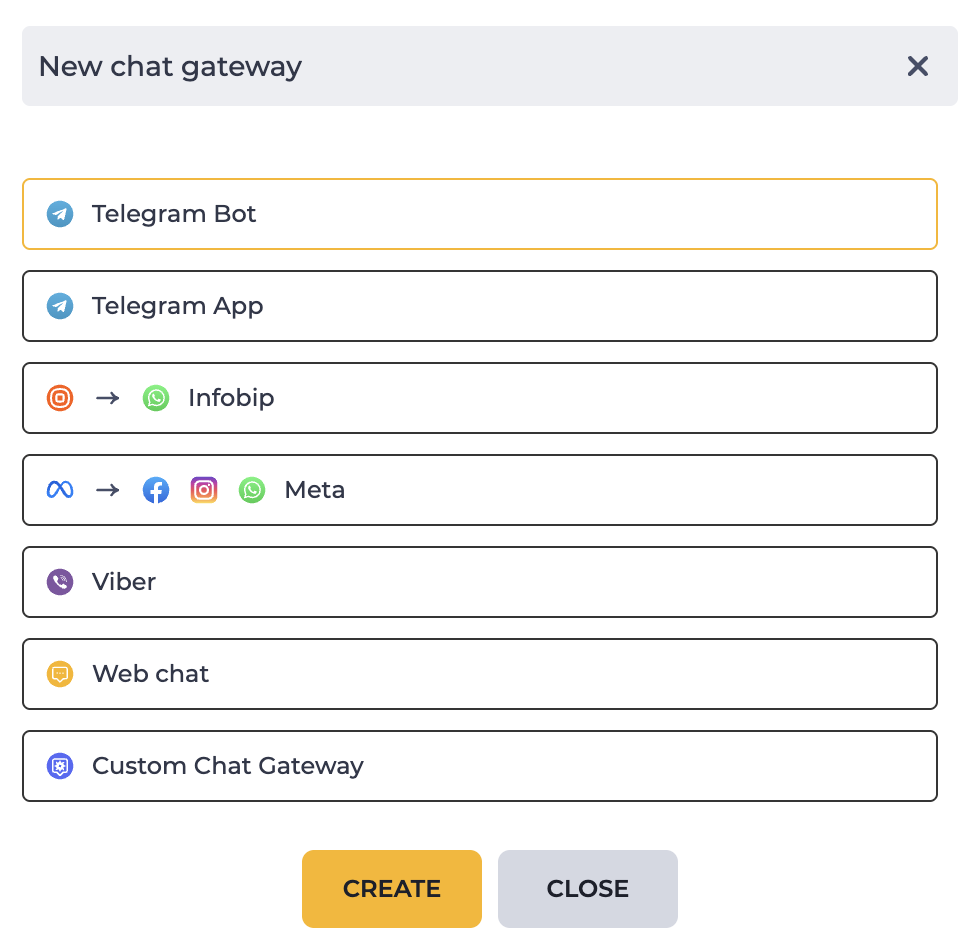
Webitel Admin → Routing → Text Gateways → Click the “Add” button → Custom Chat Gateway (Fig. 1).
The profile card has 2 tabs
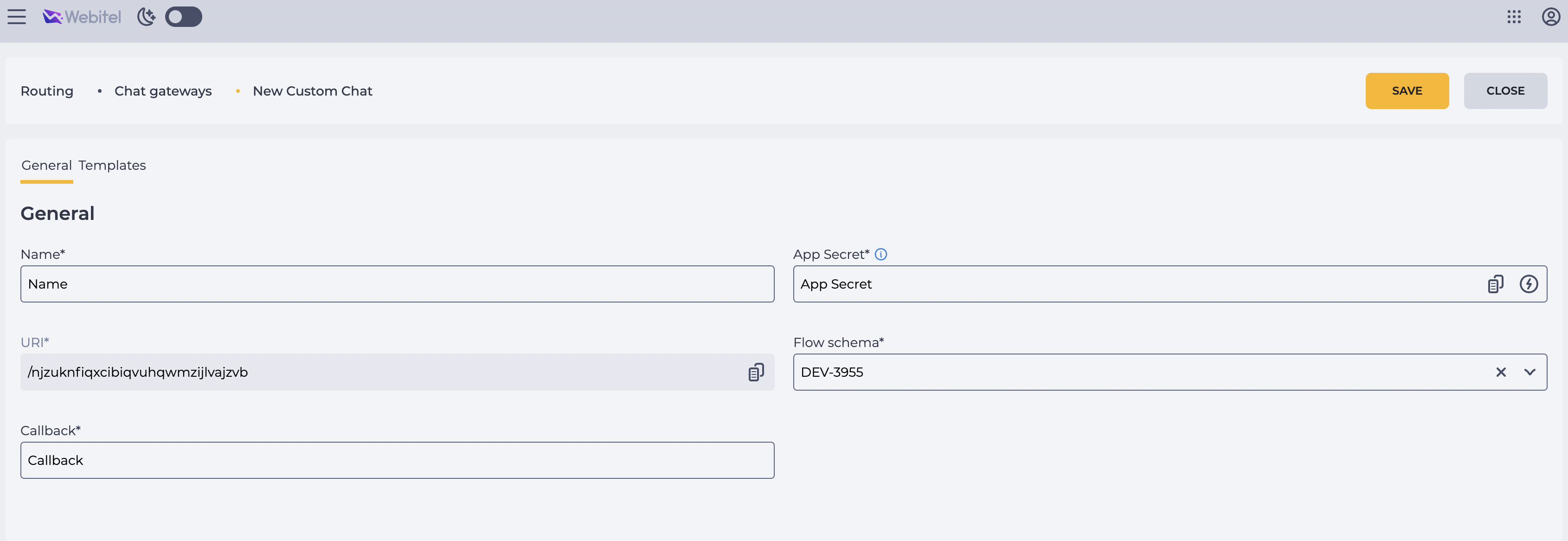
The General tab (Fig. 3) contains the fields:
-
Name — arbitrary title, text field, required;
-
URI — webhook on the Webitel side. Generated automatically, available for copying. Text field, required;
-
Callback — webhook on the client’s side. Text field, required;
-
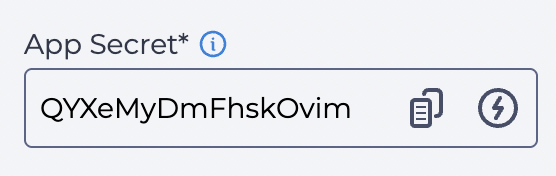
App Secret — random string used for signature calculation. Can be generated and copied. Required;
-
Flow schema — the scheme to be executed. Selected from the list of all schemes. Required.
Note: The appearance of the URI and App Secret fields remains as is. Separation (labels or styling) is not yet added.
Behavior of the App Secret field:
-
The user can enter the value manually or generate it by clicking the icon

-
The field looks as follows:
-
The user can copy the value


-
Even after saving, the value remains visible with both icons.
-
Tooltip: Altering this field will interrupt the integration
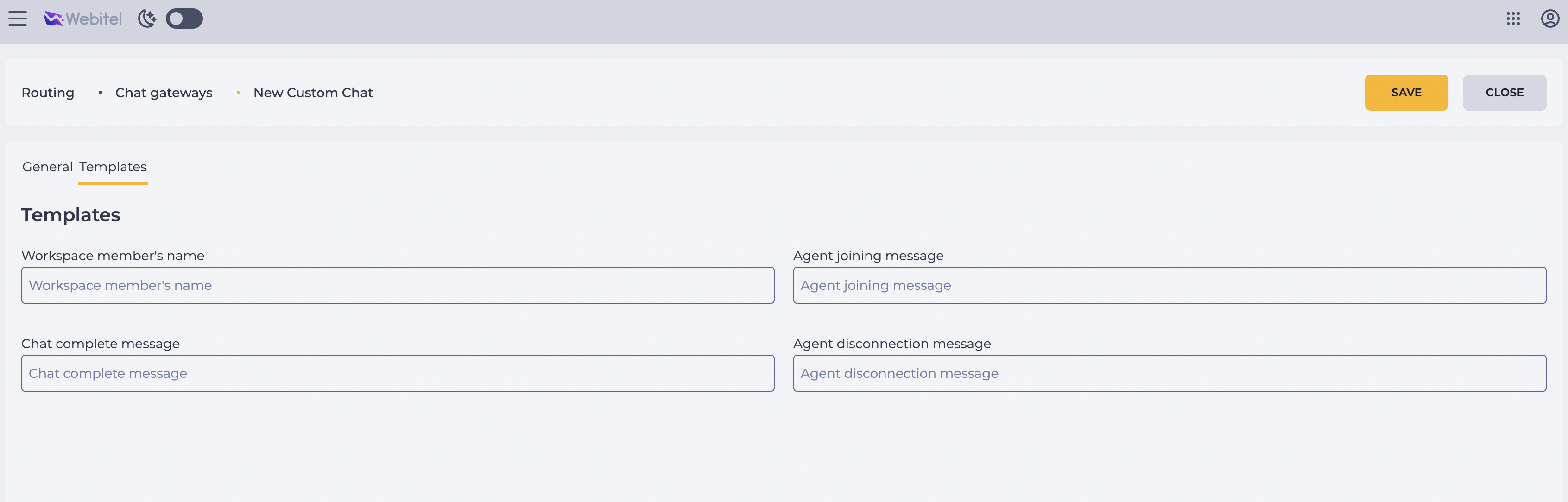
The Templates tab (Fig. 4) contains the fields (similar to existing providers):
-
Workspace member's name
-
Chat complete message
-
Agent joining message
-
Agent disconnection message
Important! The messages must support variables (e.g., the agent’s name who joined the chat). Example — as implemented in Telegram Bot:
|
join |
👤 |
Validation
For all messages involved in requests, a signature must be calculated.
The signature is generated based on the message body using sha256 and AppSecret:
const hash = crypto.createHmac('sha256', AppSecret)
                   .update(Payloads)
                   .digest('hex');
The result of the calculation must be added to the X-Webitel-Sign header.
Messages
Example of message exchange:
POST /chat/oprzxtblgubhixwsvewqupzjpgalsrl HTTP/1.1
X-Webitel-Sign: f7e109787f6f012883352ce63ec90849a5e76011db2c7da132742c277414935a

{
  // New incoming message of any kind - text, media
  "message": {
    // Unique message identifier inside this chat
    "id": "$messageId",
    "chatId": "$id",
    // Sender of the message.
    "sender": {
      // Unique identifier for this sender.
      "id": "_3dRxWevBkGX/z3pw7LZw==",
      // OPTIONAL. Type of the chat, e.g.: telegram, viber, whatsapp, etc
      "type": "viber",
      "name": "John Doe",
      "nickname": "John Doe",
    },
    // --- content --- //
    // Date the message was sent.
    "date": 1710348821689,
    // For text messages, the actual UTF-8 text of the message.
    "text": "Hi! Can U help me, please ..",
    // Extra variables to associate with this chat.
      "metadata": {
        "extra_var": "my_value"
      },
    // Message with a general file, information about the file
    "file": {
      "url": "https://example.org/path/to/media/file",
      "mime":  "image/png",
      "size":  179491,
      "name": "$save_as"
    }
  }
}
Example of response:
{
  "success": "true",
  "error": "some error"
}
Events
Example of closing a chat:
POST /chat/oprzxtblgubhixwsvewqupzjpgalsrl HTTP/1.1
X-Webitel-Sign: f7e109787f6f012883352ce63ec90849a5e76011db2c7da132742c277414935a

{
  // Chat dialog complete.
  "close": {
    "chatId": "jkmuiokji"
  }
}
Example of response:
{
  "success": "true",
  "error": "some error"
}
Outgoing Chat Initiation
Example of sending a request to deliver an outgoing message to multiple recipients from Webitel to the chatbot web service:
{
  "broadcast": { // broadcast indicates the broadcast event
    "eventId": "someId", // id of the event as the response will be async (generated on our side)
    "recipients": [ // array of recipients
      {
        "id": "someId",
        "type": "telegram"
      },
      {
        "id": "otherId",
        "type": "telegram"
      }
      ],
    "text": "text of the message", // text of the broadcast outgoing message
    "metadata": {
      "key1": "value1",
      "key2": "value2"
    }
  }
}
-
eventId — generated in Webitel to identify the response with an error.
-
recipients — an array in Webitel, since this is how it works with other messengers.
In this integration, the recipients array will always contain one recipient.
The chatbot may asynchronously send a request to Webitel if an error occurs for one of the recipients (successful deliveries do not require confirmation).
Example:
{
  "broadcast": {
    "eventId": "someId", // id of the event this response correlated to
    "recipients": [ // if not succeeded the array of recipients which not recieved message (if field is not present - no errors occured and all recipients received their message)
      {
        "id": "someId",
        "type": "telegram",
        "error": "error message"
      }
      ]

  }
}