Webitel: Documentation

Create an Activity on a missed call in Creatio

1. Description

Task of the flow:

For each incoming call, if it was not answered by an agent, create an Activity in Creatio.

1.1. Flow example

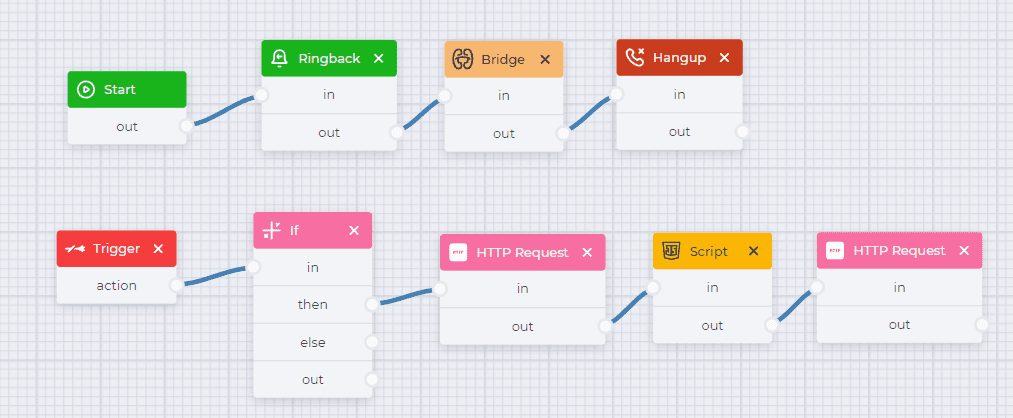
An example flow can be seen in Figure 1.
Create an Activity on a missed call in Creatio.png

Fig. 1. The flow of create an Activity on missed call in Creatio 

For convenience, you can download the completed json file, which is attached below, and then import it. 

The flow of create an Activity on missed call in Creatio.json

1.1.1. Flow description

Component  

Block of component

 Component parameters

Description

Start

image2024-3-1_18-6-2.png


Start component

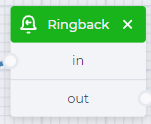
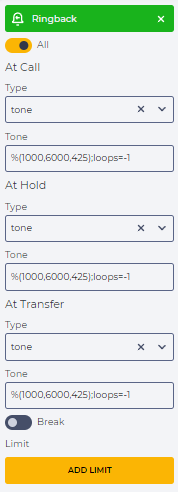
Ringback

image2024-3-1_18-6-17.png

image2024-3-1_18-8-34.png

Set the beeps.

Selected tone -  %(1000,6000,425);loops=-1

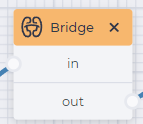
Bridge

image2024-3-1_18-6-31.png

image2024-3-1_18-8-52.png

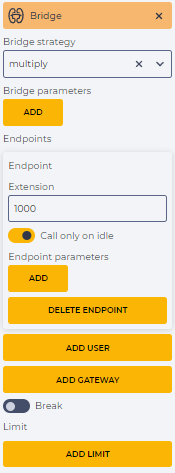
Connect to Creatio.

This requires:

  • in the field "Bridge strategy" select "multiply";

  • in the "Endpoints" element, click the "Add user" button and in the "Extension" field specify the agent extension, for example, 1000.

Hangup

image2024-3-1_18-6-45.png

image2024-3-1_18-9-8.png

End

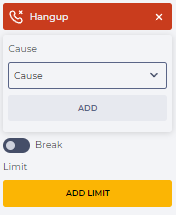
 the call


Trigger

Снимок экрана 2024-03-01 180658.png

image2024-3-1_18-9-25.png

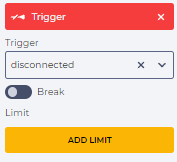
Trigger to execute the flow after the end of the call

If

image2024-3-1_18-7-22.png

image2024-3-1_18-9-41.png

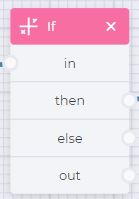
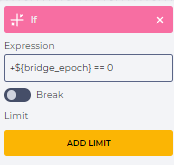
Checks if there was a connection. Specify the condition in the "Expression" field: 

+${bridge_epoch} == 0

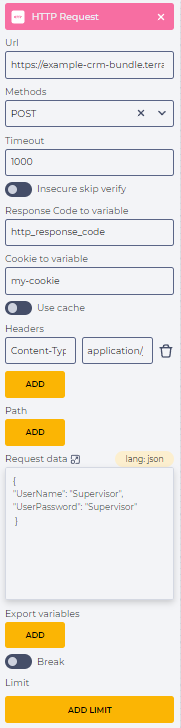
HTTP Request

image2024-3-1_18-7-38.png

image2024-3-1_18-9-57.png

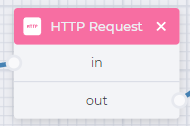
To execute an HTTP REST request for authorization.

This requires:

  • in the "Url" field, enter the url address to which to make a request -

https://example-crm-bundle.terrasoft.ua/ServiceModel/AuthService.svc/Login 

It is necessary to replace the link with a link to your site;

  • in the "Methods" field, select the "POST" method;

  • in the "Cookie to variable" field, specify the name of the variable - "my_cookie", in which cookies from the service response will be saved;

  • in the "Request data" field, enter the username and password. As an example:

{
   "UserName": "Supervisor",
   "UserPassword": "Supervisor"
}

Script

image2024-3-1_18-7-54.png

image2024-3-1_18-10-13.png

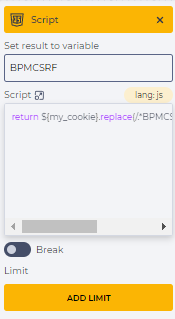
Truncate the Creatio BPMCSRF token from the received cookies into the "BPMCSRF" variable to authorize the following requests.

This requires:

  • in the field "Set result to variable" enter the name of the variable to which the code value is passed - BPMCSRF;

  • in the field "Script" enter the code -

return ${my_cookie}.replace(/.*BPMCSRF=([-._A-Za-z0-9/]{22});.*/, '$1')

HTTP Request

image2024-3-1_18-8-11.png

image2024-3-1_18-11-10.png

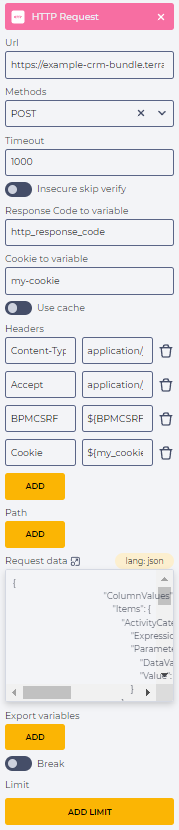
Create an Activity on a missed call (Fig. 2).

This requires:

Accept - application/json;odata=verbose

BPMCSRF - ${BPMCSRF}

Cookie - ${my_cookie}

  • in the "Request data" field, enter the  code:

{
                                        "ColumnValues": {
                                            "Items": {
                                                "ActivityCategory": {
                                                    "ExpressionType": 2,
                                                    "Parameter": {
                                                        "DataValueType": 0,
                                                        "Value": "E52BD583-7825-E011-8165-00155D043204"
                                                    }
                                                },
                                                "RemindToOwner": {
                                                    "ExpressionType": 2,
                                                    "Parameter": {
                                                        "DataValueType": 12,
                                                        "Value": true
                                                    }
                                                },
                                                "Title": {
                                                    "ExpressionType": 2,
                                                    "Parameter": {
                                                        "DataValueType": 1,
                                                        "Value": "Missed call from: ${caller_id_number}"
                                                    }
                                                },
                                                "Type": {
                                                    "ExpressionType": 2,
                                                    "Parameter": {
                                                        "DataValueType": 0,
                                                        "Value": "E1831DEC-CFC0-DF11-B00F-001D60E938C6"
                                                    }
                                                }
                                            }
                                        },
                                        "OperationType": 1,
                                        "RootSchemaName": "Activity"
                                    }