
1. Description
Allows you to create an additional function.
This component is present in flow types like:
-
Voice;
-
Chat;
-
Forms;
-
Service.
The block (Fig.1(1)) is used in space to build the Flow. The settings panel for this component opens (Fig.1(2)) when you click on the block.
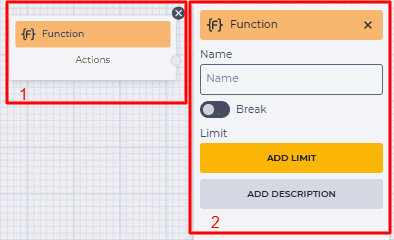
Fig.1. Function component
It is declared separately from the flow scheme.
The Execute component is used to call the function.
1.1. Function block
The block consists of the following elements:
-
The name of the component;
-
actions branch — outgoing (connecting with the following block) branch.
1.2. Function settings panel
It consists of the following elements:
-
Name;
-
Break;
-
Limit;
-
Add description.
1.2.1. Name
The name of the function is set here.
1.2.2. Break
Responsible for the completion of the flow execution.
-

-

1.2.3. Limit
It is intended to determine the maximum number of passes through this component.
The failover branch appears in the edited component when the limit is set 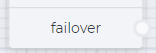
The failover branch will be used if more passes are passed through the component than entered in the Max field.
Clicking on the Add Limit button adds a Max field and a Delete limit button.
The number of possible passes is indicated in the Max field.
Clicking on the Delete limit button removes the limit and returns the Add limit button.
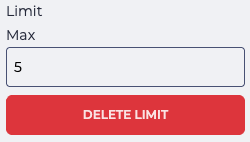
Fig. 2. Setting a limit
1.2.4. Add description
When you click the Add description button, a Description field and a Delete description button will be added.
The Description field is used to add comments to the component.
Clicking the Delete description button removes the description field and brings back the Add description button.
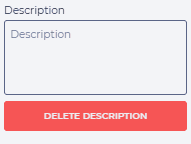
Fig. 3. Add description